In this walk through, we will be going through the Investigating Windows room from Tryhackme. In this room, a windows machine has been hacked, its your job to go investigate this windows machine and find clues to what the hacker might have done. So, let’s get started.
Task 1 – Investigating Windows
Question 1 – Whats the version and year of the windows machine?
systeminfo
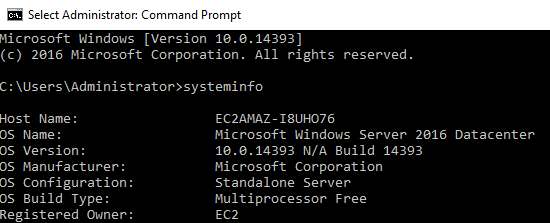
Windows Server 2016Question 2 – Which user logged in last?
Get-LocalUser | Select Name, Lastlogon
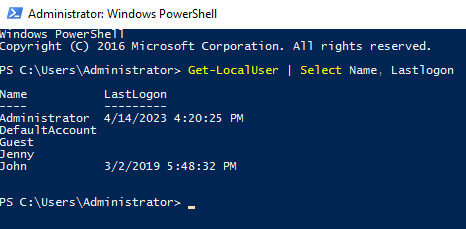
AdministratorQuestion 3 – Answer format: MM/DD/YYYY H:MM:SS AM/PM
03/02/2019 5:48:32 PMQuestion 4 – What IP does the system connect to when it first starts?
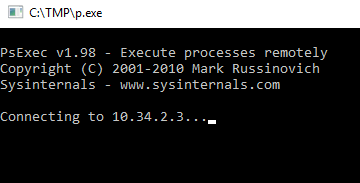
10.32.3.1Question 5 – What two accounts had administrative privileges (other than the Administrator user)?
net localgroup Administrators
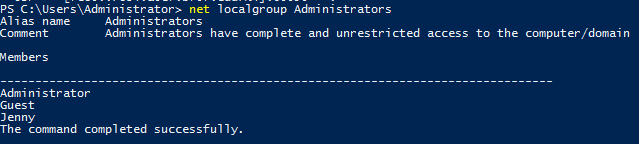
Jenny, GuestQuestion 6 – Whats the name of the scheduled task that is malicious.
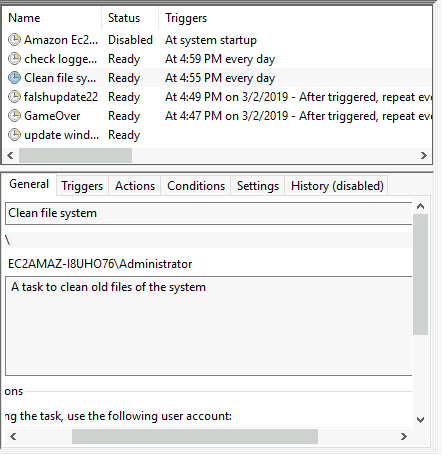
Clean file systemQuestion 7 – What file was the task trying to run daily?
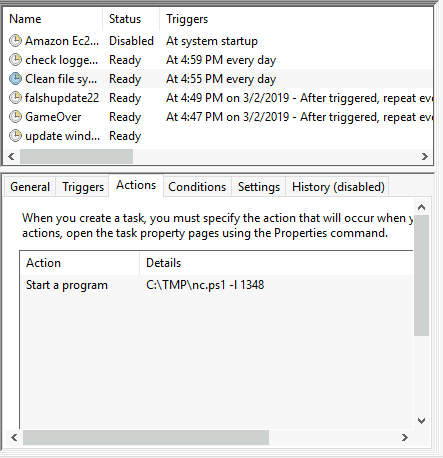
nc.ps1Question 8 – What port did this file listen locally for?
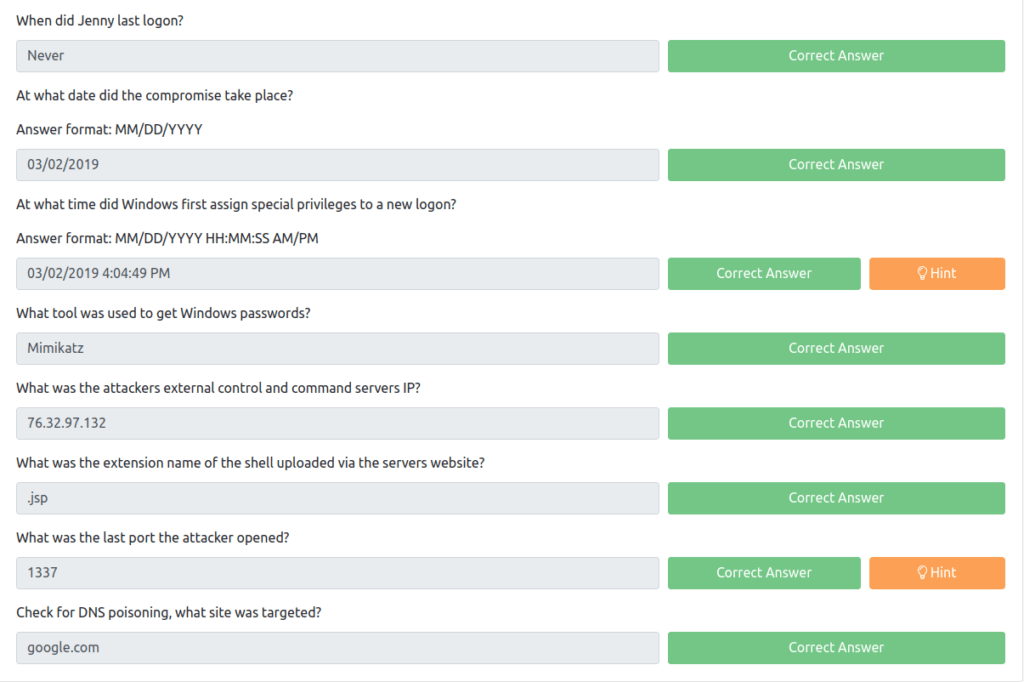
1348Question 9 – When did Jenny last logon?
net user Jenny
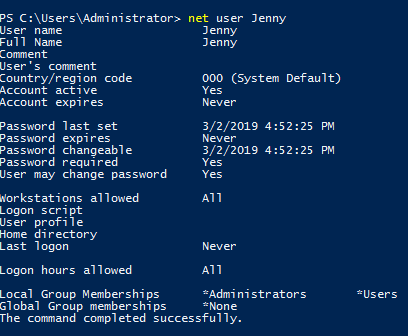
NeverQuestion 10 – At what date did the compromise take place?
03/02/2019Question 11 – At what time did Windows first assign special privileges to a new logon?
- Event Viewer -> Security -> Check for Audit Success with Account Domain NT Authority
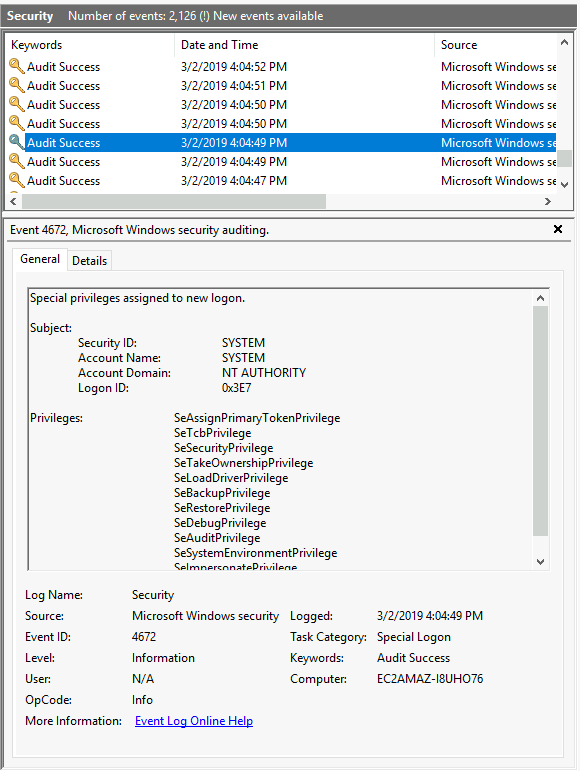
03/02/2019 4:04:49 PMQuestion 12 – What tool was used to get Windows passwords?
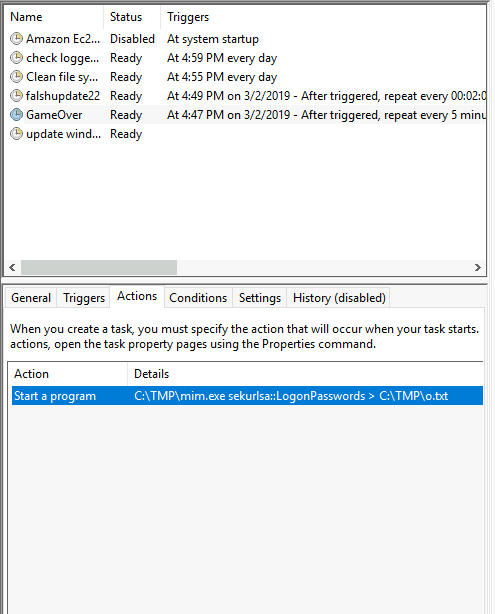
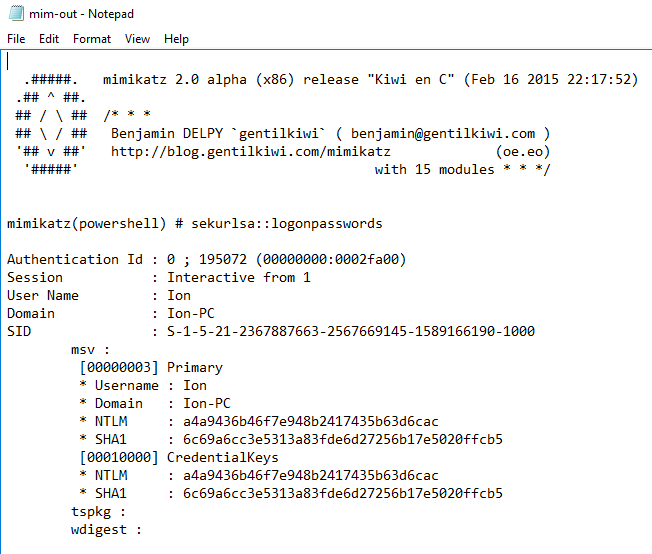
MimikatzQuestion 13 – What was the attackers external control and command servers IP?
C:\Windows\System32\drivers\etc
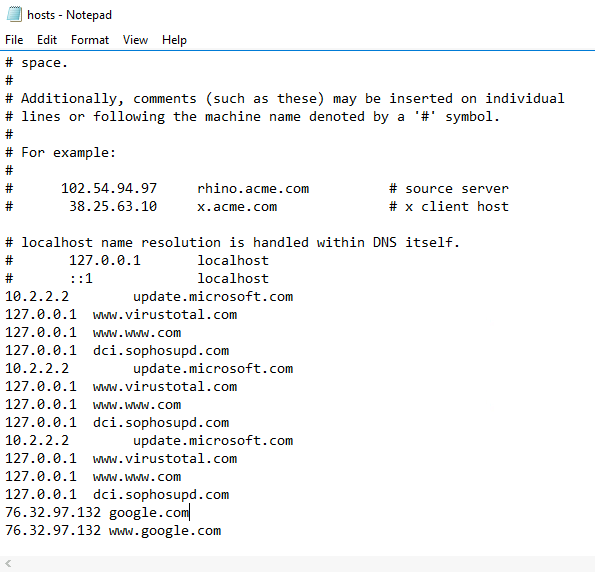
76.32.97.132Question 14 – What was the extension name of the shell uploaded via the servers website?
C:\inetpub\wwwroot
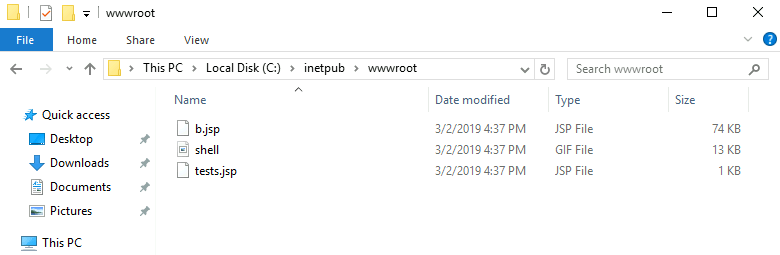
.jspQuestion 15 – What was the last port the attacker opened?
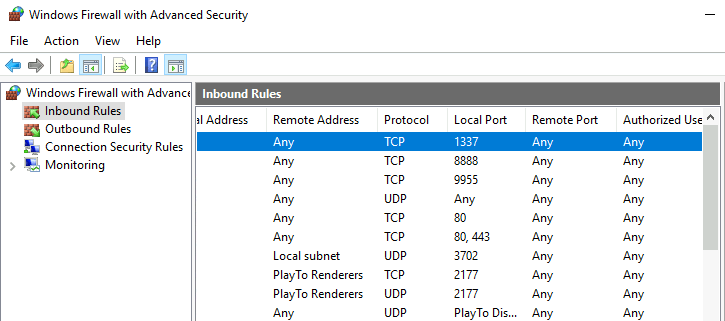
1337Question 16 – Check for DNS poisoning, what site was targeted?
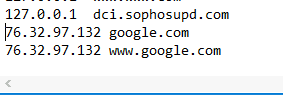
google.com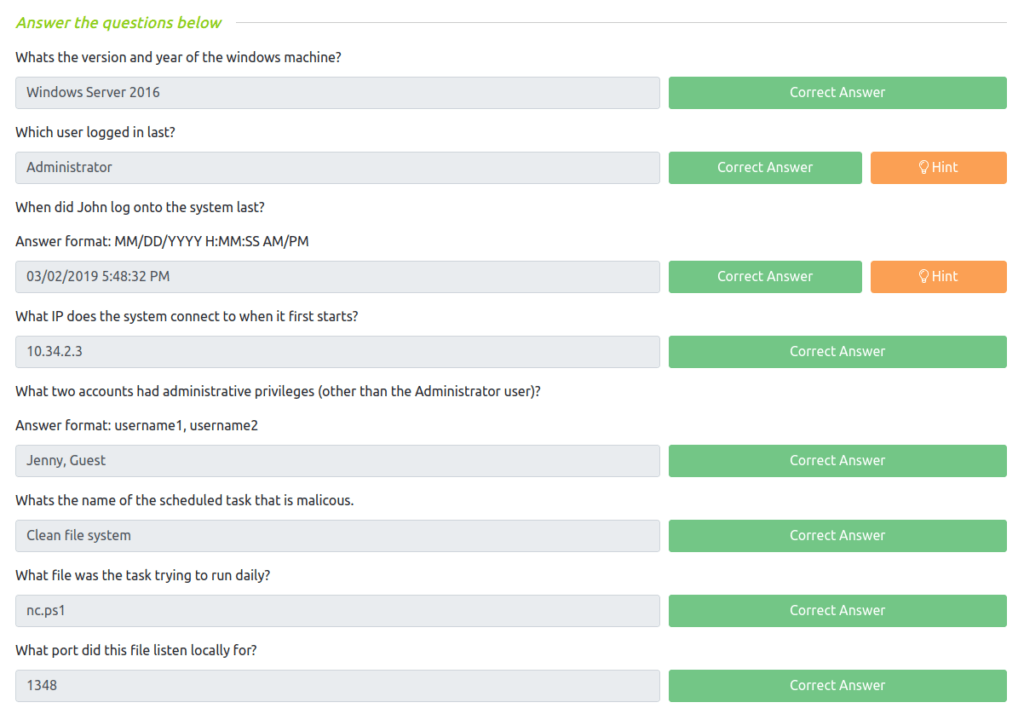
Also Read: Tryhackme – Introductory Networking
So that was “Investigating Window” room for you. In this room, we have covered various windows investigative techniques and analysis of indicator of compromises in the machine. We played with Windows event viewer, some windows native commands and the DNS cache files to learn about malicious file and connections. On that note, i will take your leave, till then “Keep Investigating”.